1.5.7 Making Multiple Decisions with if/else if Statements

Some Decisions Need More Than Two Possible Outcomes

A basic if/else chooses between two paths.

Sometimes the program needs to distinguish among several possible conditions.

For example, a soccer program might classify the number of goals scored:

  • three or more goals;
  • exactly two goals;
  • exactly one goal;
  • no goals.

An if/else if chain lets the program test conditions in order.

Read an if/else if Chain from Top to Bottom

Consider:

if (goals >= 3)
{
    System.Console.WriteLine("Three or more goals.");
}
else if (goals == 2)
{
    System.Console.WriteLine("Two goals.");
}
else if (goals == 1)
{
    System.Console.WriteLine("One goal.");
}
else
{
    System.Console.WriteLine("No goals.");
}

The program does not evaluate every branch as though they were separate unrelated if statements.

It checks the conditions in sequence.

The First True Condition Selects the Branch

Suppose:

goals = 2

Trace the chain.

First condition
goals >= 3

Result:

false

Continue to the next condition.

Second condition
goals == 2

Result:

true

The program runs:

System.Console.WriteLine("Two goals.");

The remaining branches in the chain are skipped.

The Order of Conditions Matters

Consider:

if (goals >= 1)
{
    System.Console.WriteLine("At least one goal.");
}
else if (goals >= 3)
{
    System.Console.WriteLine("Three or more goals.");
}

If:

goals = 4

the first condition is already true:

4 >= 1

So the first branch runs.

The later:

goals >= 3

condition is never reached for that execution.

The source may compile, but the branch order may not represent the intended classification.

Put More Specific Threshold Logic in an Order That Makes Sense

For a descending scoring classification:

if (goals >= 3)
{
    System.Console.WriteLine("Three or more goals.");
}
else if (goals == 2)
{
    System.Console.WriteLine("Two goals.");
}
else if (goals == 1)
{
    System.Console.WriteLine("One goal.");
}
else
{
    System.Console.WriteLine("No goals.");
}

the earlier conditions handle the higher-priority cases first.

Each later branch applies only when all earlier conditions were false.

else if Adds Another Question

Think of the structure as:

Question 1?
   |
   +-- true  → action 1
   |
   +-- false → Question 2?
                  |
                  +-- true  → action 2
                  |
                  +-- false → Question 3?

Each else if is another decision reached only after the previous condition was false.

The Final else Catches the Remaining Case

In:

else
{
    System.Console.WriteLine("No goals.");
}

there is no new condition.

The final else means:

This creates a final path for the remaining values.

A chain does not always need a final else, but when one is present, that is its role.

Compare an if/else if Chain with Separate if Statements

Consider separate statements:

if (goals >= 1)
{
    System.Console.WriteLine("Scored.");
}

if (goals >= 3)
{
    System.Console.WriteLine("High scoring.");
}

If:

goals = 4

both conditions are true.

Both blocks can run.

Now compare:

if (goals >= 3)
{
    System.Console.WriteLine("High scoring.");
}
else if (goals >= 1)
{
    System.Console.WriteLine("Scored.");
}

When the first condition is true, the second branch is skipped.

The structures represent different behavior.

Use an if/else if Chain When the Outcomes Are Alternatives

A chain works well when one execution should select one category or path.

For example:

three or more goals
two goals
one goal
no goals

These are alternate classifications of one score value.

The chain makes the exclusivity visible.

Parameters Can Drive the Chain

Suppose:

public void DisplayGoalCategory(int goals)
{
    if (goals >= 3)
    {
        System.Console.WriteLine("Three or more goals.");
    }
    else if (goals == 2)
    {
        System.Console.WriteLine("Two goals.");
    }
    else
    {
        System.Console.WriteLine("Fewer than two goals.");
    }
}

The argument supplied by the caller becomes the parameter:

goals

That value is tested by each condition in sequence.

Predict the Exact Path

Suppose:

goals = 1

For:

if (goals >= 3)

the result is false.

For:

else if (goals == 2)

the result is false.

The program reaches:

else

and executes its block.

A strong explanation names every condition that was evaluated before the selected branch.

Do Not Turn the Chain into Nested Decisions Yet

A chained:

if
else if
else if
else

structure is the current focus.

Nested if statements place one decision inside another branch.

That is a different structure and is taught in CO-045.

For now, think:

rather than:

The Main Rule

An if/else if chain is evaluated from top to bottom.

The first condition that evaluates to true selects its branch.

If none are true and a final else exists, the else branch runs.

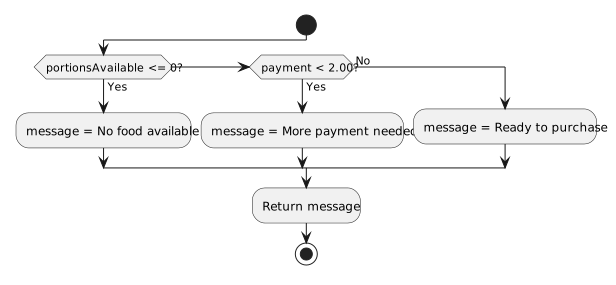
That execution pattern is what the next activity diagram must represent.