AI Use Is a Process
AI interaction can be modeled as a sequence of actions and decisions.
A useful process includes both:
- the AI system;
- the human user.
The AI generates an output.
The human evaluates and decides what happens next.
A UML activity diagram can make those responsibilities visible.
Use Activity Partitions for Responsibility
You have already used activity partitions, or swimlanes, for browser/server interactions.
The same idea can separate:
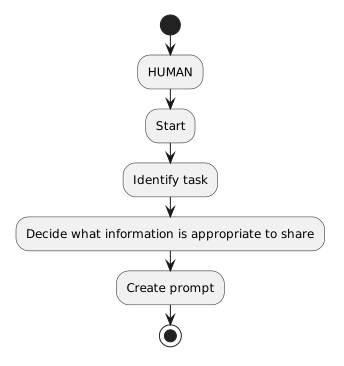 HUMAN.
This prevents the diagram from implying that responsible AI use begins only after the output arrives.
Hand the Prompt to the AI System
The flow crosses into the AI lane:
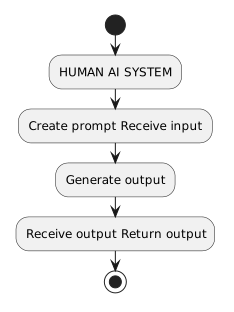 HUMANAISYSTEM.
The handoff shows the responsibility change.
The human supplies input.
The AI system generates the response.
Evaluation Returns to the Human
After receiving the response, the human evaluates:
- relevance;
- accuracy concerns;
- credibility;
- missing context;
- bias;
- privacy or rule issues.
The AI does not make the final decision about whether its own response should be used.
Add a Verification Decision
A useful decision is:
Conceptually:
![Activity diagram showing Evaluate response, then Important claim needs evidence?, then [yes] Verify with authoritative source, then [no] Continue decision.](Diagrams/0.7.ActivityDiagramAiHumanJudgment.Activity.AddVerificationDecision.light.svg) EvaluateResponse.
EvaluateResponse.
The verification action belongs in the human process.
The person selects and interprets the evidence.
Model Accept, Revise, Verify, or Reject
A simplified decision section could be:
![Activity diagram showing Evaluate output, then Need verification?, then [yes] Verify claim Re-evaluate, then [no], then Usable as-is?, then [yes] Accept.](Diagrams/0.7.ActivityDiagramAiHumanJudgment.Activity.ModelAcceptReviseVerify.light.svg) EvaluateOutput.
EvaluateOutput.
The exact diagram can vary.
The important requirement is that the human judgment remains visible.
Revision Can Create Another AI Interaction
If the human chooses to revise the prompt, the flow may return to the AI system.
For example:
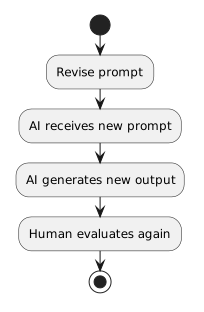 RevisePrompt.
This forms an iteration loop.
The loop should not imply:
Each new output still needs evaluation.
Verification May Use a Source Outside the AI System
If the AI makes a factual claim, the human may consult an authoritative source.
The diagram can include an action such as:
Verify claim with authoritative source
You do not need to create a separate swimlane for every possible website or document unless the purpose of the model requires it.
Keep the current diagram focused on AI and human responsibility.
End With a Human Decision
A strong model should end with an action owned by the human.
For example:
or:
Then:
This preserves the central principle:
AI generates; the human decides.
Read the Diagram as a Responsibility Story
A complete explanation might be:
If the diagram communicates that story clearly, it is representing responsible AI use rather than only the technical prompt/response exchange.