0.4.11 Modeling Information Storage With an Activity Diagram

Information Can Move Through a Process

Earlier activity diagrams focused on actions and decisions.

The same diagram type can help you reason about where information moves during a process.

Consider a soccer application where a user enters a short lineup note.

The application may:

  1. receive the note;
  2. keep it while the program is running;
  3. save it to persistent storage;
  4. later read it again.

An activity diagram can make that movement visible.

Start With the User Action

A simple process might begin:
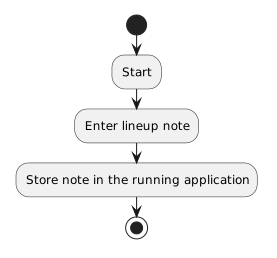
Activity diagram showing Start, then Enter lineup note, then Store note in the running application.
Start.
  • New
  • Changed
  • Removed

At this point, the information exists in the running program.

It has not necessarily been saved anywhere permanent.

If the application closes now, the information may disappear.
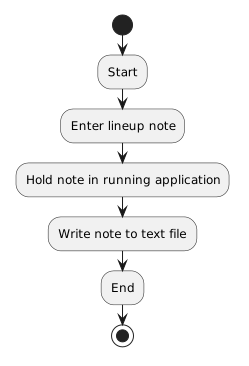
Saving Is a Separate Action

To preserve the note, the process needs a storage action.

Conceptually:

Activity diagram showing Start, then Enter lineup note, then Hold note in running application, then Write note to text file, then End.
Start.
  • New
  • Changed
  • Removed

The important idea is that:

having information in memory is not the same as saving it to persistent storage.

The save step changes where the information exists.

Reading Reverses the Direction

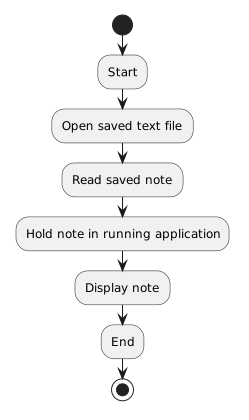
A later process might be:

Activity diagram showing Start, then Open saved text file, then Read saved note, then Hold note in running application, then Display note, then End.
Start.
  • New
  • Changed
  • Removed

Now information moves from persistent storage back into the running program.

These two flows answer different questions.

Save flow
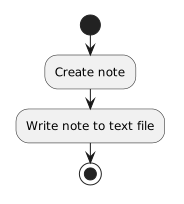
Activity diagram showing Create note, then Write note to text file.
CreateNote.
  • New
  • Changed
  • Removed

Later C# code can implement the write action.

Another diagram might show:

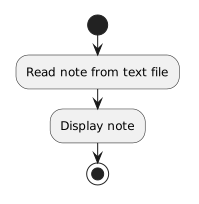
Activity diagram showing Read note from text file, then Display note.
ReadNoteFromTextFile.
  • New
  • Changed
  • Removed

Later C# code can implement the read action.

The diagram defines the process at a conceptual level.

The code supplies executable instructions.

Choose the Diagram for the Question

A class diagram could describe:

An object diagram could describe:

An activity diagram can describe:

For storage, the third question is especially useful.

It lets you visualize the difference between information that exists during execution and information that has been saved for later use.