0.2 First Day Assignment

Overview

The purpose of this assignment is to familiarize you with the layout of Visual Studio and
standardize the way we will be using folders and files throughout the courses.

  1. Download the starting Zip file and word doc and store them in your OneDrive
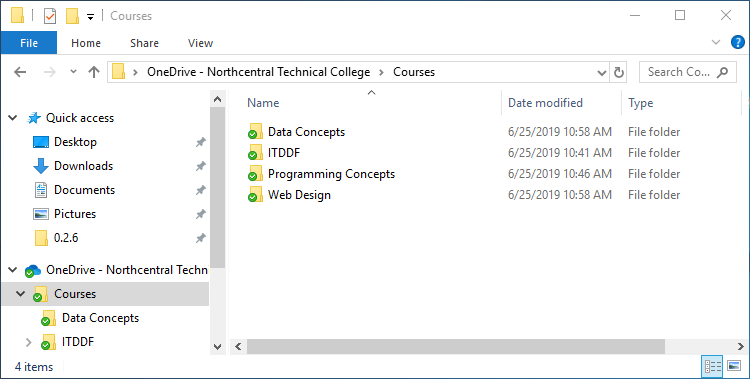
    0.2 First Day 1 Snip OneDrive
    0.2 First Day 1 Snip OneDrive.png
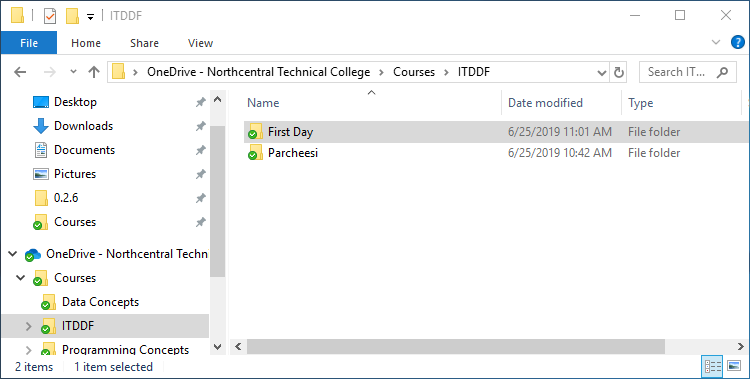
    0.2 First Day 1 Snip OneDrive2
    0.2 First Day 1 Snip OneDrive2.png
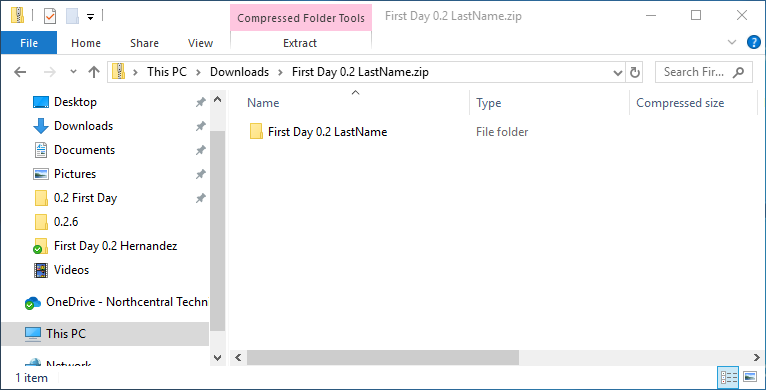
    0.2 First Day 1 Snip Zip
    0.2 First Day 1 Snip Zip.png
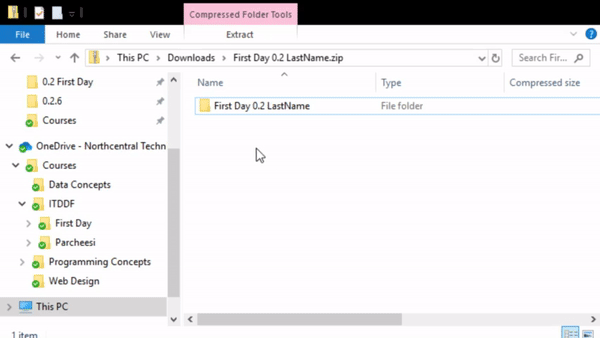
    Instructional image from 0.2 First Day Assignment, page 2

    0.2 First Day 1 Gif Copy.gif

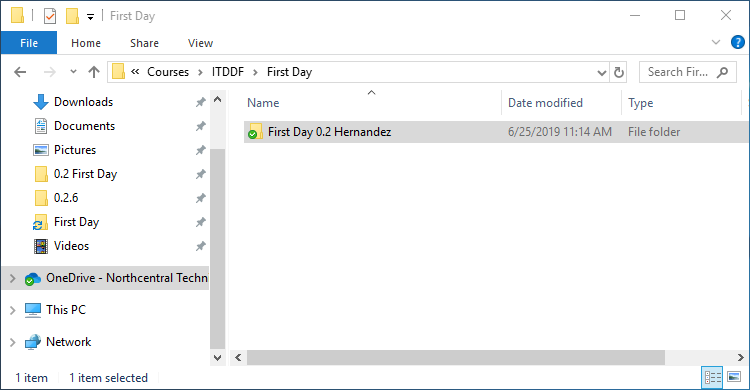
    0.2 First Day 1 Snip RenameFolder
    0.2 First Day 1 Snip RenameFolder.png
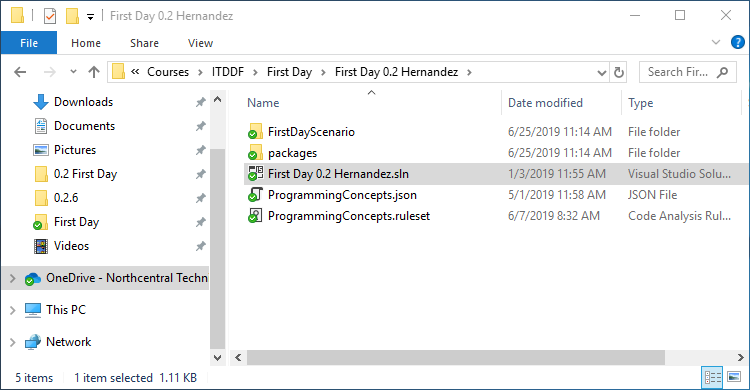
    0.2 First Day 1 Snip RenameSln
    0.2 First Day 1 Snip RenameSln.png
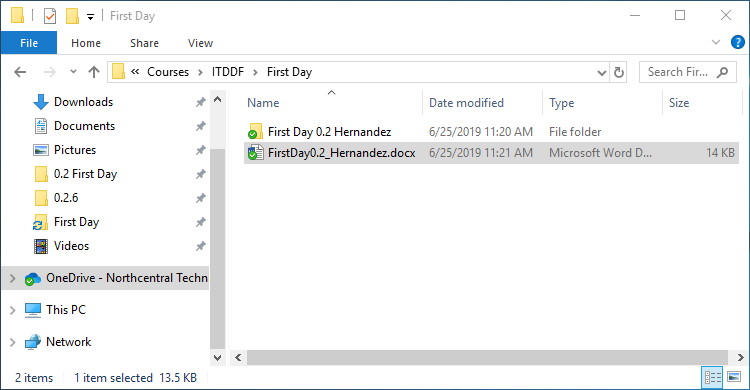
    0.2 First Day 1 Snip RenameWordDoc
    0.2 First Day 1 Snip RenameWordDoc.png

    Read the articles below for information on how to open solutions and start
    and stop applications.

    Go to top
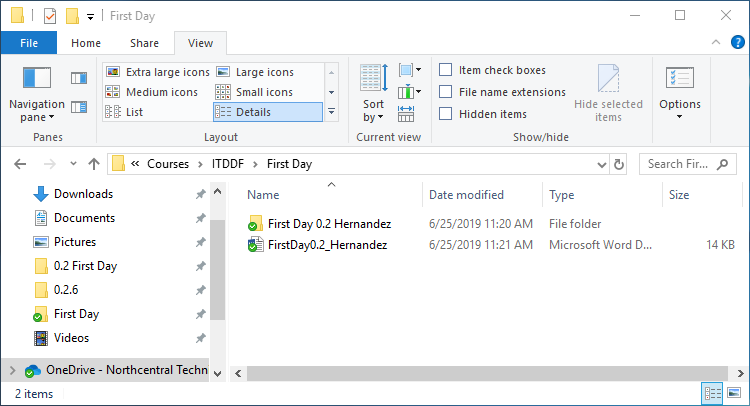
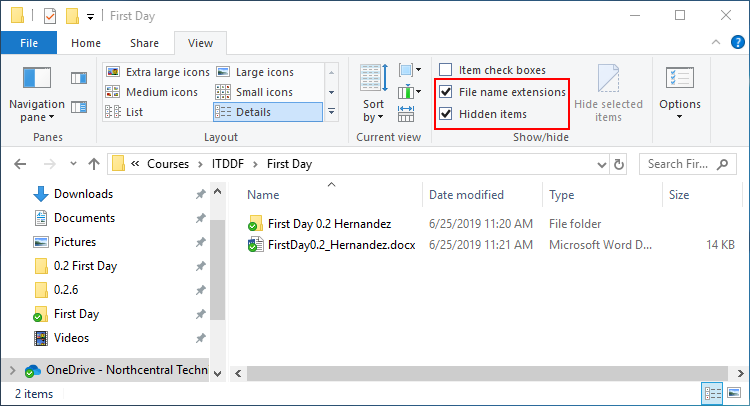
  2. Enable "file name extensions" and "Hidden items" in File Explorer

    0.2 First Day 2 Snip View
    0.2 First Day 2 Snip View.png
    0.2 First Day 2 Snip ViewSettings
    0.2 First Day 2 Snip ViewSettings.png

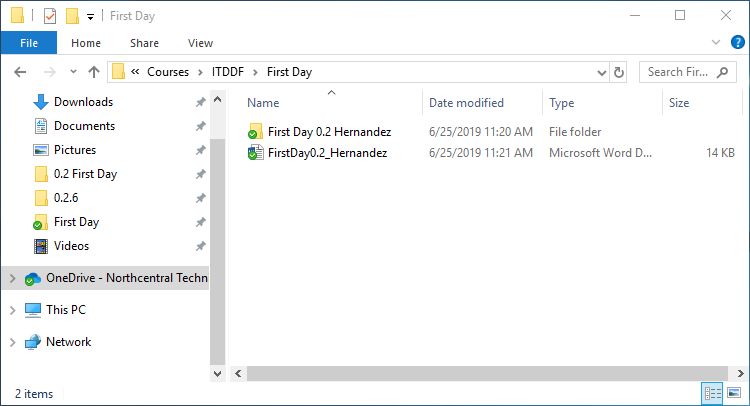
    Before enabling File Name Extensions in File Explorer, your word document should
    show "FirstDay0.2_LastName"

    0.2 First Day 2 Snip BeforeExt
    0.2 First Day 2 Snip BeforeExt.png

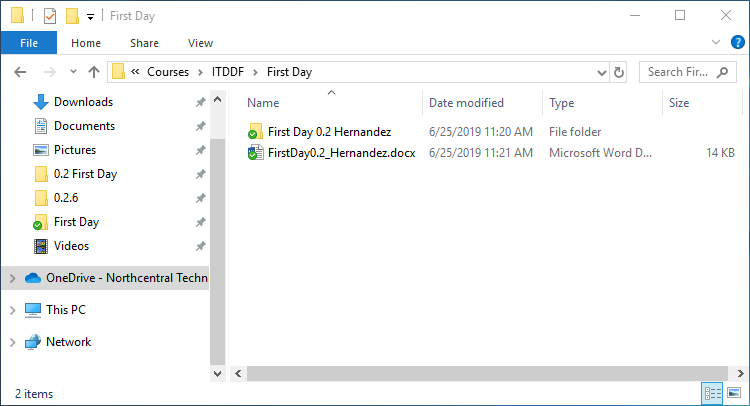
    After enabling File Name Extensions in File Explorer, your word document should be
    show "FirstDay0.2_LastName.docx"

    0.2 First Day 2 Snip AfterExt
    0.2 First Day 2 Snip AfterExt.png

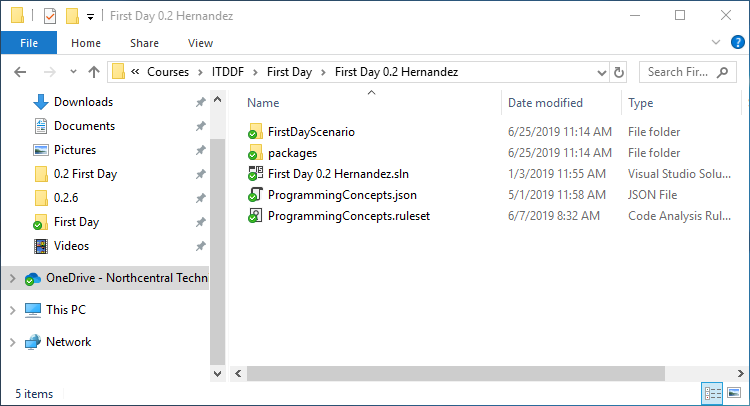
    Before enabling "Hidden items" in File Explorer, your File Explorer should look similar
    to the following:

    0.2 First Day 2 Snip BeforeHidden
    0.2 First Day 2 Snip BeforeHidden.png

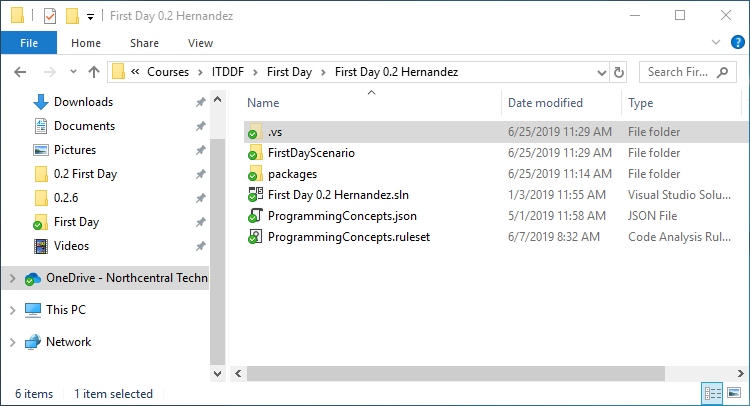
    After enabling "Hidden items" in File Explorer, your File Explorer should look similar to
    the following:

    0.2 First Day 2 Snip AfterHidden
    0.2 First Day 2 Snip AfterHidden.png

    Notice the ".vs" folder and how it is slightly transparent. Folders that have a
    preceding period in its name will be hidden.

    Go to top
  3. Complete and then submit the resulting Word document to Canvas.

    Go to top