 Introduction To Programming
 10-152-310
Learning Plan 2 : Variables and Data Types
Variables in JavaScript
Computer programs mostly deal with data, electronic data. In this section, we're going to look at what data is and how we store it and manipulate it.
Computers
Computer programs do three basic things from our perspective.
- They get data into the program
- They process the data
- They output the data
So What's Data?
Let's first look inside the computer at RAM. RAM stands for Random Access Memory. This means that the computer can go get something in RAM from anywhere very quickly. RAM is where the computer stores its data, including the operating system and the programs themselves. How do we imagine RAM? Here's one way:
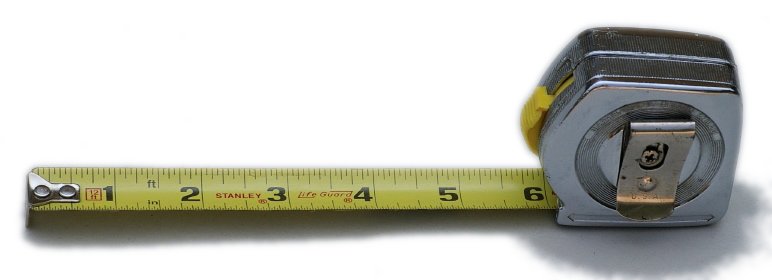
RAM is one long linear chain of bits. And a bit is a very simple thing, it's just a 0 or a 1. Think of each mark on the tape measure as a single bit. Data is just a collection of bits in a known spot. Say, starting at 5" on the tape measure and going for 10 marks.
What's a Variable
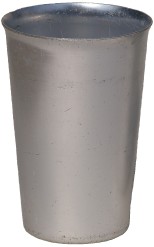
Computer programs have to have a way to find and use the data that it needs. They do this with variables. A Variable is a spot in RAM that has been given a name. You can think of variables as a container. But, this container doesn't hold water, it holds bits.
- Here's how we do that in JavaScript:
- We start with the word
var. This tells JavaScript that you are about to create a named variable. It is required by JavaScript in order to correctly make a variable. - Then we have the name of the variable, in this case
count. - And, finally, we have a semicolon (
;). - However, at this point the variable doesn't have any value in it. Here's the variable declaration over again with a small addition.
- We've added the
" = 1"(a space, an equal sign, and the number 1). - This line creates the variable and puts the value 1 into it.
Getting Some Input
We need input!
- We're going to start with a simple way to get input from our users, the
promptdialog box. - Here's what it looks like:
- Here's what happens
- When JavaScript see this
prompt("...")it will open a dialog box. - The text inside the quotes will be displayed in the dialog box.
- When the user enters something in the text box and presses the OK button, the data they entered is put into the variable to the left of the
prompt. - We can then use the variable with its new content.
- When JavaScript see this
- Here's a demo of the prompt: Demo:
prompt().
Displaying Output
We want to start doing some labs. But, we need to be able to see what is going on in our programs.
- Here's a piece of JavaScript that you've seen already. We'll explain it in more detail now.
- The word
documentrefers to the HTML page that contains this JavaScript program. - The period (
.), called the dot, is a way to access things inside of your document. - The word
writeis a function inside the document. Don't worry if this doesn't make complete sense yet, it will in time. - Next is a set of parentheses with some quoted words inside.
- And, finally, a semicolon!
- What happens when this is run by JavaScript?
- When this function is run it takes whatever is in the parentheses and outputs it to the HTML page right where the "write" happens to be. In our labs that, will be just after the <script> tag ends.
- What can I put in a "write"?
- Everything that we are creating in our programs can go in a write...it's handy.
- Here's a demo of this: Demo:
document.write() - Now let's go do the lab: 2.1 Lab 3
- Here are the exercises for the lab. 2.1 Assignment 2
Data Types
How a computer keeps its data straight.
- All data in a computer is really the same, it's all just zeros and ones. However, your programs will need to think of different pieces of data as different types of data. You can't add "Bob" to 1000 mathematically. All programming languages have a set of "data types". Here's JavaScript's:
- Numbers
- Strings
- Booleans
- Null
- Undefined
- Objects
- We will focus on the first three for most of the semester. This is a very simple list, some languages have a much bigger list. JavaScript is simpler in this area.