 Introduction To Programming
 10-152-310
Learning Plan 1 : Introduction to Programming and Software Development
Introduction to Flowcharts
As programmers, we often want to 'dive' right into a program and begin building programs. This is not the best approach. We need to take a step back and think through the logic of our program. One of the fundamental tasks of programming is breaking down problems to their most elemental form. By breaking problems down, we can focus on specific tasks and build efficient programs.
Flowcharting
It is helpful to think through our programs and, perhaps, discuss it with colleagues to organize our thinking and the requirements of the program. Flowcharting aids in this process.
Diagramming is a very helpful method to the programming process. It allows us to discuss and plan our projects without getting into the programming specifics. We can get a picture of the entire program very quickly without getting bogged down in the code. Further, new programmers can get up to speed quickly by reviewing diagrams.
There are many diagrams that programmers use (not all encompassing).
- Class Diagram - shows the classes in a system, attributes and operations of each class and the relationship between each class.
- Object Diagram - show the relationship between objects
- Use Case Diagram - overview of the actors involved in a system, different functions needed by those actors and how these different functions interact
- Sequence Diagram - shows how object interact with each other and the order those interactions occur
Flowcharting is one of the basic building blocks of diagramming. We utilize flowcharts to break down logic into its simplest form. Basically, we break down steps that our brains do very easily.
Football Example
Imagine that my wife and I are going to a football game. As I drive to the game, I am looking for a close parking space. If I do not find a close spot, I drop my wife off at the gate so she does not have to walk very far. I then park and come to the gate, enter the stands, join my wife and we enjoy the game.
The aforementioned example is something very simple that my brain hardly thinks about when I go through this logic. My brain went through basic programming logic. Let's break this down.
- Start
- While driving to the game, look for a close parking spot.
- If I do not find a close parking spot, drop my wife off at the gate.
- Enter stadium, stop and look for my wife. (I don't want to just keep walking without seeing her...I might wander onto the field). This would be a negative statement. While wife not seen, stop feet.
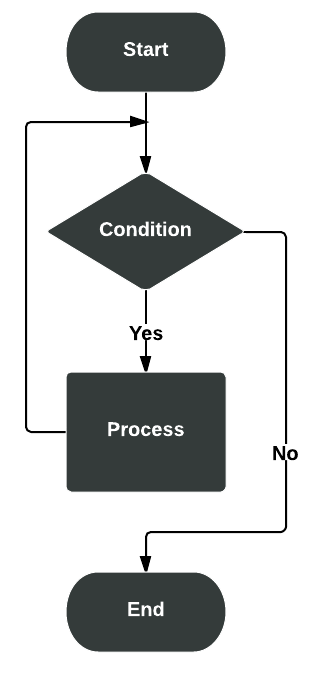
- Once I see her, I walk until I get to her. This would be a loop. We keep on doing something until a condition is met.
- Once I am next to her, sit down and enjoy the game.
- End
This may sound silly, but that is the essence of programming. We are breaking things down logically. Further, this allows programmers to discuss a project and stay on task without getting bogged down in the code. This means that the diagrams/flowcharts are language agnostic.
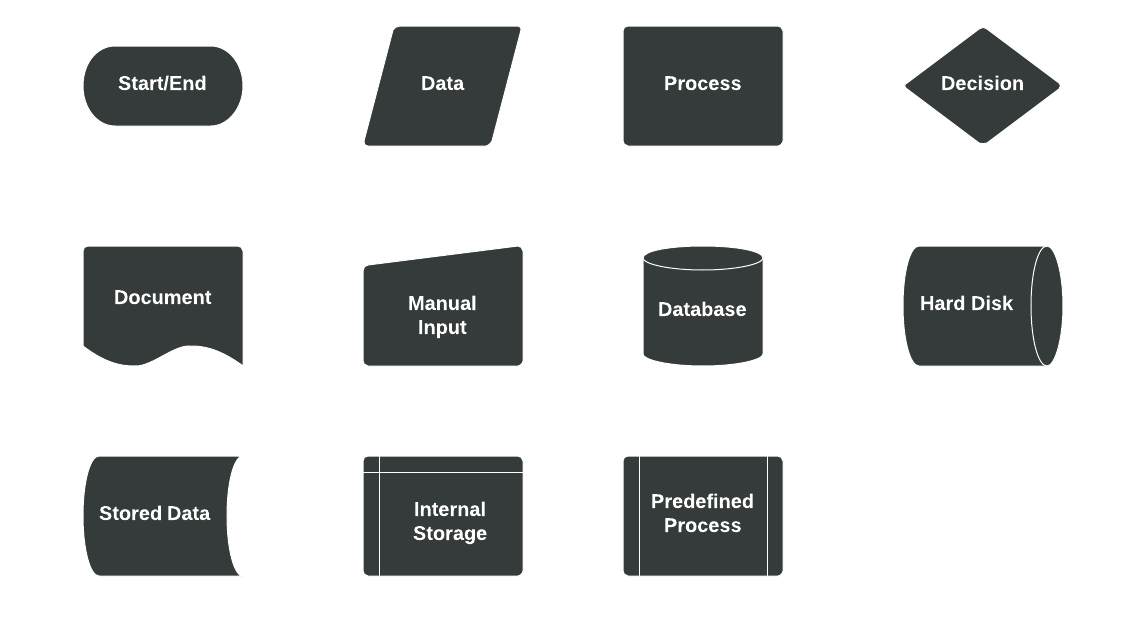
Flowchart Symbols Meaning
In flowcharts and diagrams, there are general accepted practices and symbols that are used to notate specifics.
There are many programs that can be used to do flowcharting:
These programs allow developers to build flowcharts in a standardized manner. Using generally accepted standards allow all developers to be 'on the same page'.
Before drawing flowcharts you need to understand the different symbols used in Flowcharts. Most people are aware of basic symbols like processes and decision blocks. But there are many more symbols to make your flowchart more meaningful.
Some people don’t know about some rarely used flowchart symbols like Direct data, Manual Input etc. Check the flowchart symbols page for a detailed explanation of different symbols. Although these are the standard symbols available in most flowchart software, some people do use different shapes for different meanings.
How to Draw Flowcharts
Flowcharts can be categorized into several types. Document flowchart, system flowchart, data flowchart and program flowchart. While categories vary, principals remain the same. Check out this Introduction to Flowcharting tutorial.
In a flowchart with many processes/decisions, you can group them together using swim lanes. Swim lanes are a great way to improve the readability of a flowchart. Read Creating swim lanes to learn more about the process.
For additional information, peruse this list of tutorials.
Examples
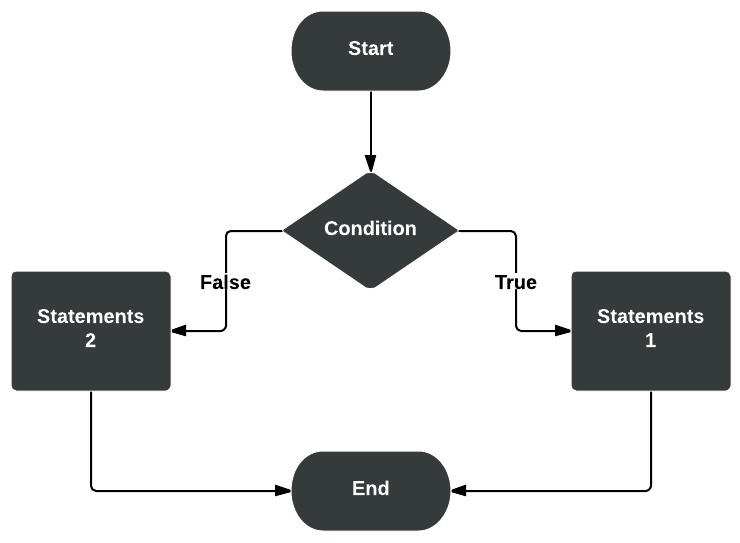
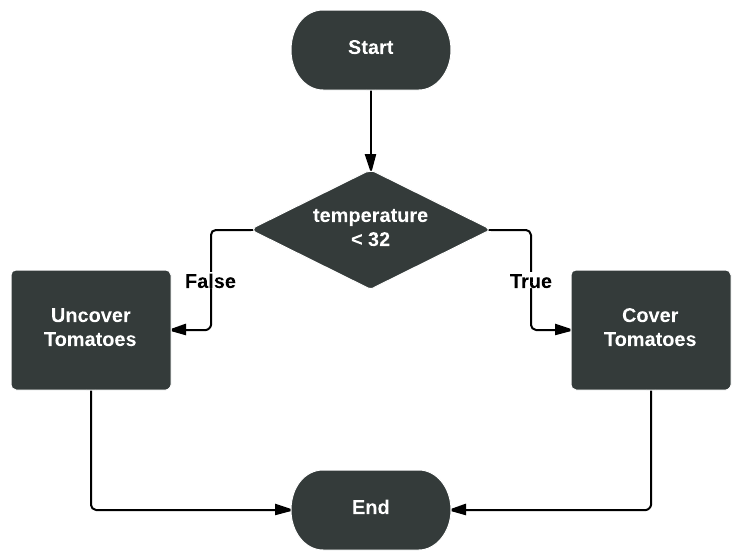
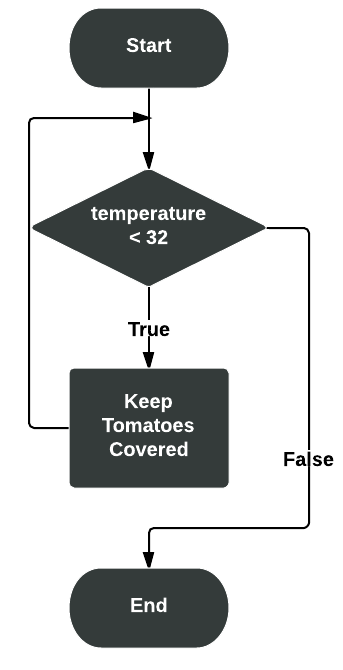
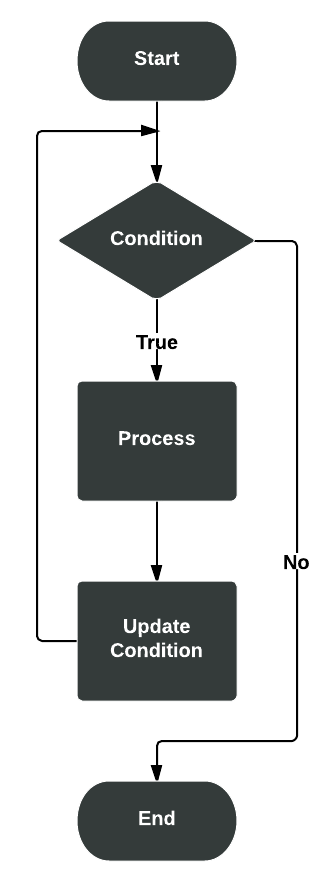
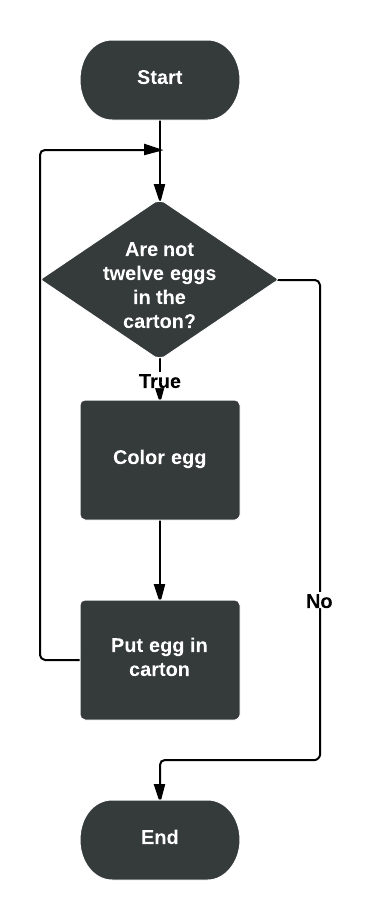
So how do we work with flowcharts in programming? We can create flowcharts to illustrate logic flow, such as IF statements, loops, etc. Here are some examples...