Acceptance criteria
- Movement timers are excluded from serialization and recreated after deserialization.
If you wish to continue with your current code (from the end of 5.5B), you are free to do so.
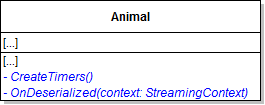
Call the CreateTimers method in the constructor.
[NonSerialized]
private Timer moveTimer;[Serializable]
public abstract class AnimalSearch for Serializable and select 'Find All' from the drop-down. There should be 48 instances of the Serializable attribute.

If the save was successful, write a message to that effect to the console. If the save generated an exception, write a message to the console stating the save was unsuccessful. The message should look like the following:
Console.WriteLine("Your zoo has been successfully saved.");// Create a binary formatter
BinaryFormatter formatter = new BinaryFormatter();
// Create a file using the passed-in file name
// Use a using statement to automatically clean up object references
// and close the file handle when the serialization process is complete
using (Stream stream = File.Create(fileName))
{
// Serialize (save) the current instance of the zoo
formatter.Serialize(stream, this);
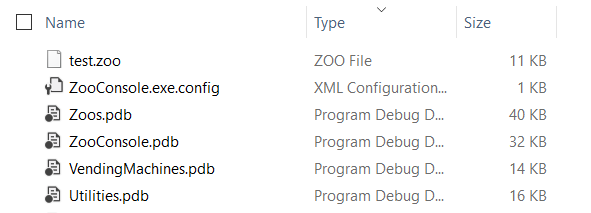
}The zoo should be saved successfully and a message stating that should be written to the console.

Zoo result = null;

// Create a binary formatter
BinaryFormatter formatter = new BinaryFormatter();

// Open and read a file using the passed-in file name
// Use a using statement to automatically clean up object references
// and close the file handle when the deserialization process is complete
using (Stream stream = File.OpenRead(fileName))
{
    // Deserialize (load) the file as a zoo
    result = formatter.Deserialize(stream) as Zoo;
}

return result;In it, call the ConsoleHelper's LoadFile method, passing commandWords[1] and assign it to the zoo field.
© 2026 Northcentral Technical College