Acceptance criteria
- A dictionary maps animal types to cages.

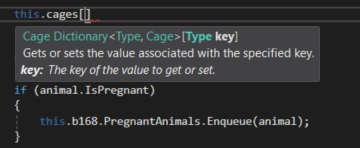
Pass the animalType in, and get a Cage result out.
Cage result = null;

this.cages.TryGetValue(animalType, out result);

return result;Then either add or remove the animal from the cage in addition to the zoo.
This ensures that the animals are also getting added to their cages.
this.AddAnimal(new Chimpanzee("Bobo", 10, 128.2, Gender.Male));
this.AddAnimal(new Chimpanzee("Bubbles", 3, 103.8, Gender.Female));
this.AddAnimal(new Dingo("Spot", 5, 41.3, Gender.Male));
this.AddAnimal(new Dingo("Maggie", 6, 37.2, Gender.Female));
this.AddAnimal(new Dingo("Toby", 0, 15.0, Gender.Male));
this.AddAnimal(new Eagle("Ari", 12, 10.1, Gender.Female));
this.AddAnimal(new Hummingbird("Buzz", 2, 0.02, Gender.Male));
this.AddAnimal(new Hummingbird("Bitsy", 1, 0.03, Gender.Female));
this.AddAnimal(new Kangaroo("Kanga", 8, 72.0, Gender.Female));
this.AddAnimal(new Kangaroo("Roo", 0, 23.9, Gender.Male));
this.AddAnimal(new Kangaroo("Jake", 9, 153.5, Gender.Male));
this.AddAnimal(new Ostrich("Stretch", 26, 231.7, Gender.Male));
this.AddAnimal(new Ostrich("Speedy", 30, 213.0, Gender.Female));
this.AddAnimal(new Platypus("Patti", 13, 4.4, Gender.Female));
this.AddAnimal(new Platypus("Bill", 11, 4.9, Gender.Male));
this.AddAnimal(new Platypus("Ted", 0, 1.1, Gender.Male));
this.AddAnimal(new Shark("Bruce", 19, 810.6, Gender.Female));
this.AddAnimal(new Shark("Anchor", 17, 458.0, Gender.Male));
this.AddAnimal(new Shark("Chum", 14, 377.3, Gender.Male));
this.AddAnimal(new Squirrel("Chip", 4, 1.0, Gender.Male));
this.AddAnimal(new Squirrel("Dale", 4, 0.9, Gender.Male));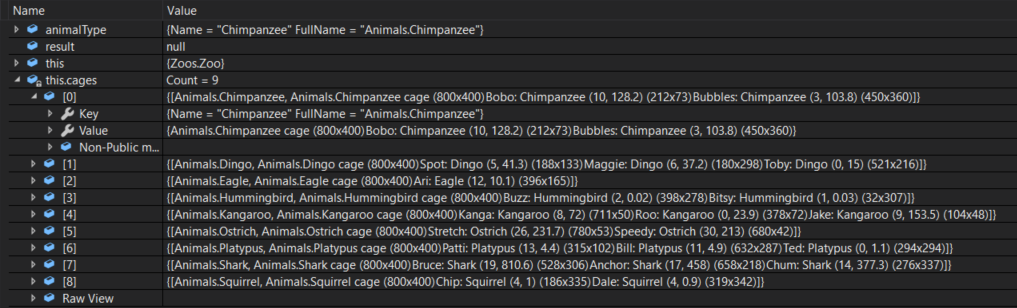
Ensure it is removed in the cage window.
Add the code below to the Flatten method.

string result = null;

foreach (object s in list)
{
    result += result == null ? s : separator + s;
}

return result;The sequence diagram below will be how we will be using these methods.

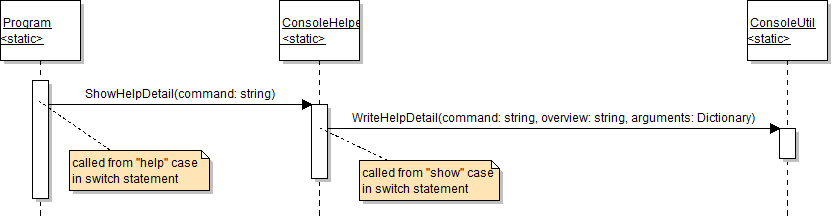
Dictionary<string, string> variable called arguments.Dictionary<string, string>.Add a key-value pair to the dictionary for each of the command parameters (objectType and objectName) - the key is the parameter name and the value is the parameter description. Then call the WriteHelpDetail method. Pass in the command parameter, a short description of the command (show or remove), and the arguments variable.
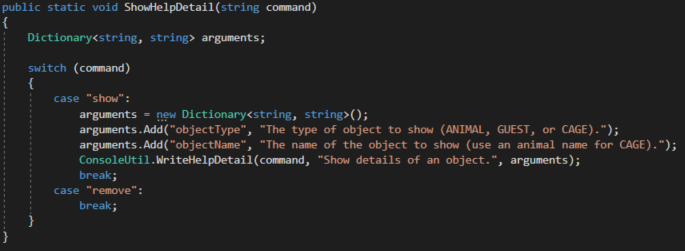
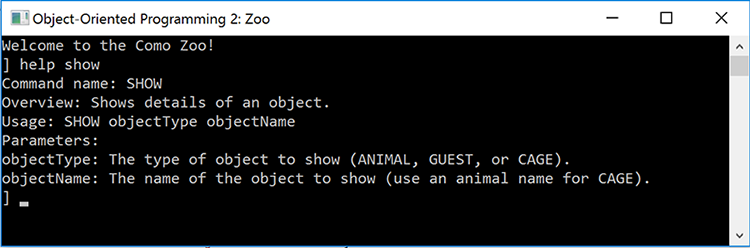
The result should look like the example below:
Command name: SHOW
Overview: Show details of an object.Use the Flatten method on the ListUtil class to write out the keys of the arguments dictionary. Pass in a space as the separator. The resulting line written to the console should look like the example below:
Usage: SHOW objectType objectNameThen, loop through the arguments' KeyValuePairs and write out each key (which is the parameter name) and value (which is the explanation of the parameter).
foreach (KeyValuePair<string, string> kvp in arguments)
{
    // code here
}
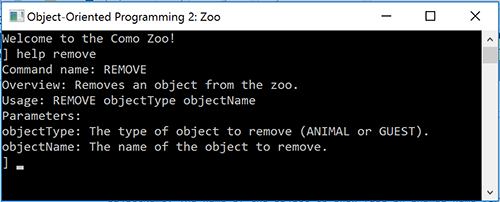

Dictionary<string, string> add a key-value pair where the argument parameter is the key and the argumentUsage parameter is the value.Then call the original version of the WriteHelpDetail method. Pass the command parameter, the overview parameter and the local dictionary.
In each case statement, call the four-parameter WriteHelpDetail method. Pass in the command name, a short description of the command, the name of the parameter, and a description of the parameter.
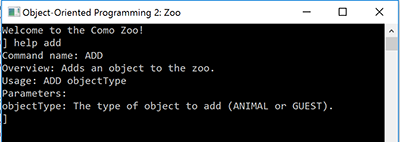
The details of the add command, including an overview and parameter information, should be written to the console. The output should look like the image below.
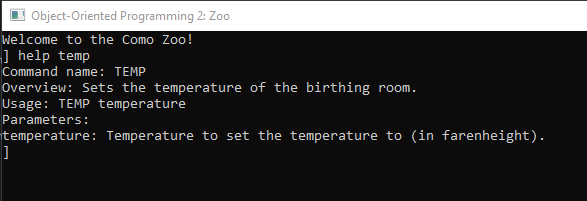
The details of the temp command, including an overview and parameter information, should be written to the console. The output should look like the image below.

Pass in the command parameter, the overview parameter, and null. Passing in null for the arguments parameter signifies that the command has no arguments.
In each case statement, call the two-parameter WriteHelpDetail method. Pass in the command name and a short description of the command.
If so, call the ShowHelp method.
Pass in the command name ("help"), a description of the command, the name of the (optional) parameter ("[command]"), and a description of the optional parameter.
Use the descriptions from the previous help command.
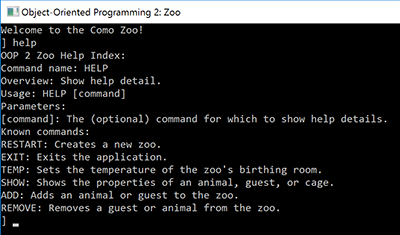
Details of the help command and a list of all available commands should be written to the console. The output should look like the image below.
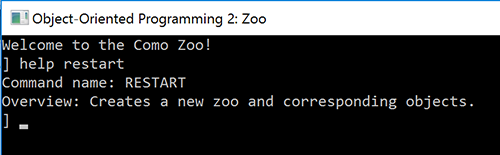
Only the details of the restart command should be shown and there should be no information listed about parameters. The output should look like the image below.
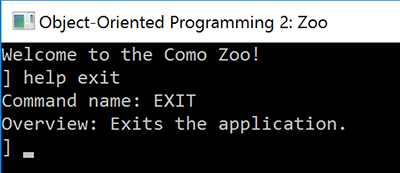
Only the details of the exit command should be shown and there should be no information listed about parameters. The output should look like the image below.
© 2026 Northcentral Technical College