Acceptance criteria
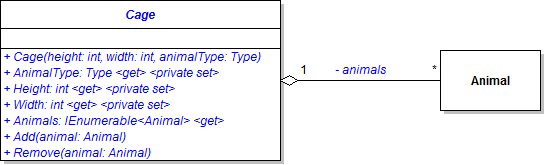
- Animals of the same type appear together in the cage window.
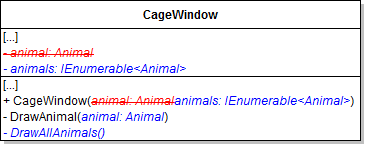
In it, make a variable of type List<Animal>. Loop through all the animals; if the current animal's type matches the passed-in type, add it to the list. Then return the list.
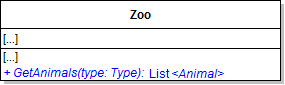
Pass that collection into the CageWindow instead of the single animal.
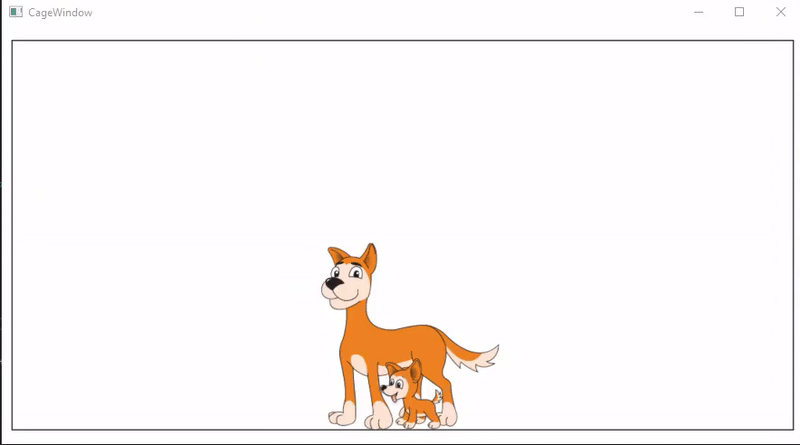
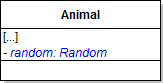
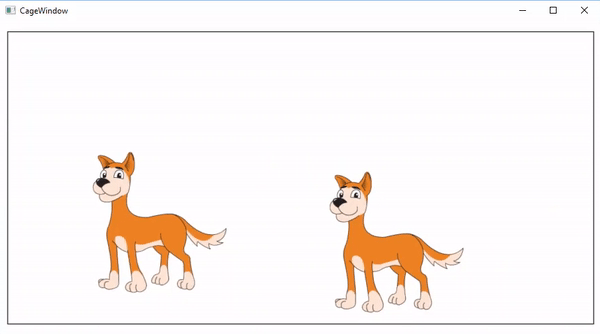
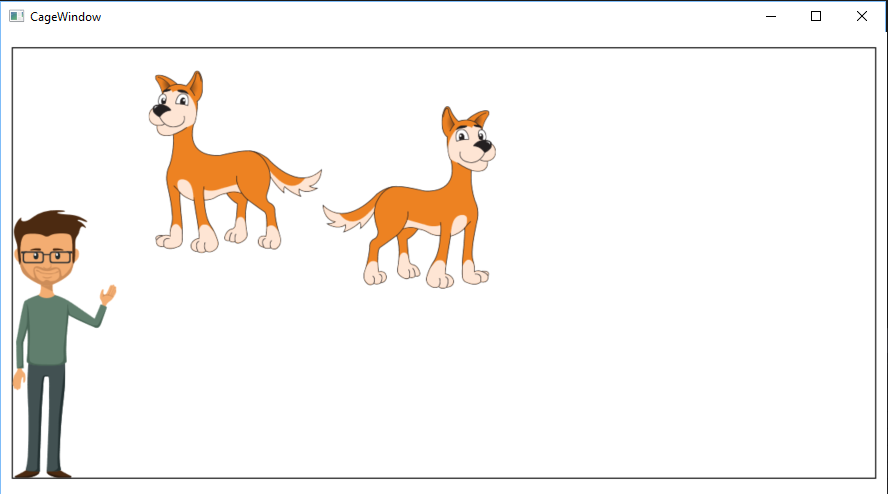
private Random random = new Random(DateTime.Now.Millisecond);It appears that there is only one Dingo in the cage when in reality there are two. This is because the Canvas objects are the same size, start in the same place and move the same distance.
this.MoveDistance = random.Next(5, 16);If the number is 0, set the XDirection to Left. Otherwise, set it to Right.
If the number is 0, set the YDirection to Up. Otherwise, set it to Down.
The values of the YPosition, XPosition, MoveDistance should be "random".
When the breakpoint is hit, the same instance of the Dingo should have different values than before.
The Dingos starting positions, direction, and move speed should now be seemingly random.
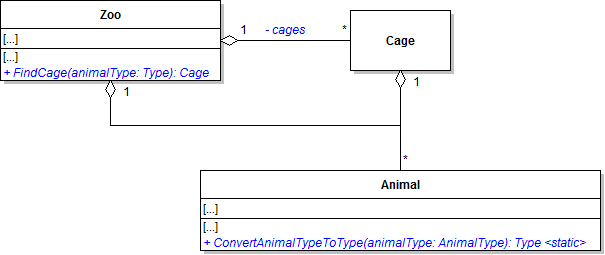
Type result = null;

switch (animalType)
{
    case AnimalType.Chimpanzee:
        result = typeof(Chimpanzee);
        break;

    case AnimalType.Dingo:
        result = typeof(Dingo);
        break;

    case AnimalType.Eagle:
        result = typeof(Eagle);
        break;

    case AnimalType.Hummingbird:
        result = typeof(Hummingbird);
        break;

    case AnimalType.Kangaroo:
        result = typeof(Kangaroo);
        break;

    case AnimalType.Ostrich:
        result = typeof(Ostrich);
        break;

    case AnimalType.Platypus:
        result = typeof(Platypus);
        break;

    case AnimalType.Shark:
        result = typeof(Shark);
        break;

    case AnimalType.Squirrel:
        result = typeof(Squirrel);
        break;
}

return result;Then loop through the values in the AnimalType enum. For each value, add a new cage to the list. Pass in a height of 400 and a width of 800 for all cages. Use the ConvertAnimalTypeToType method to pass in a Type to the Cage constructor.

The dingoes should appear and be moving as they did before adding the cage. Close the cage window.
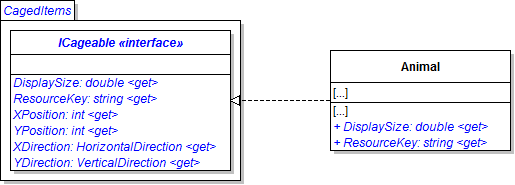
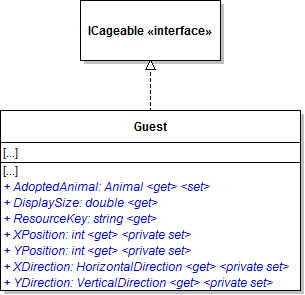
Add a virtual modifer to the property.
This is the same as in the DrawAnimal method in the CageWIndow class.

 // Finished viewBox.
Viewbox finishedViewBox = new Viewbox();

// Gets image ratio.
double imageRatio = canvas.Width / canvas.Height;

// Sets width to a percent of the window size based on it's scale.
double itemWidth = this.cageGrid.ActualWidth * 0.2 * displayScale;

// Sets the height to the ratio of the width.
double itemHeight = itemWidth / imageRatio;

// Sets the width of the viewBox to the size of the canvas.
finishedViewBox.Width = itemWidth;
finishedViewBox.Height = itemHeight;

// Sets the animals location on the screen.
double xPercent = (this.cageGrid.ActualWidth - itemWidth) / maxXPosition;
double yPercent = (this.cageGrid.ActualHeight - itemHeight) / maxYPosition;

int posX = Convert.ToInt32(xPosition * xPercent);
int posY = Convert.ToInt32(yPosition * yPercent);

finishedViewBox.Margin = new Thickness(posX, posY, 0, 0);

// Adds the canvas to the view box.
finishedViewBox.Child = canvas;

// Returns the finished viewBox.
return finishedViewBox;Place it before the call to create the new ViewBox().
Have Ethel adopt an animal. Ethel's representation in the list box should change to reflect the name of her adopted animal.
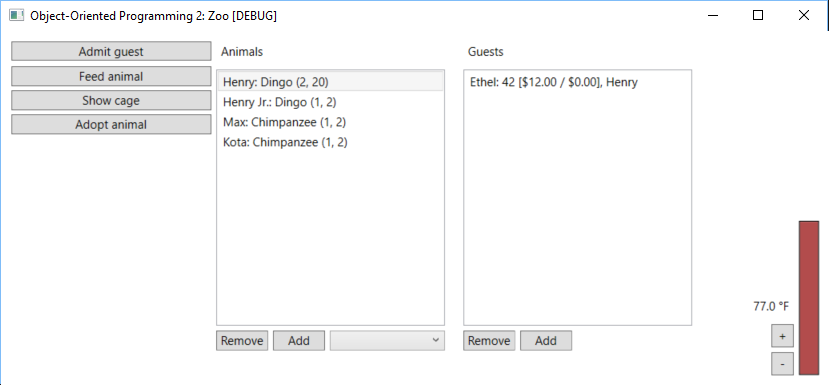
Select Ethel and a different animal and click Un-Adopt animal. Ensure you get an error about the animal not being theirs.
Ensure the guest is removed from the CageWindow and that the animal name is removed from their string.
Ensure the program does not crash, but an error message is displayed.
Ensure that the guest and animal selected are removed from the cage window.
© 2026 Northcentral Technical College