Acceptance criteria
- The parking command assigns the required parking cost on the existing airport.
- The specified initial null-reference scenario is observed before error handling is added.
4.3 Scratchpad Learning Activity
This assignment covers Error Handling, String Manipulation, Exception Types and Throwing Exceptions
Work through the stories in order. Use the acceptance criteria to check each feature, and complete the nested tasks using the specified names, values, and scenarios.
4.3 Scratchpad lab video, part 1 (22:29)
4.3 Scratchpad lab video, part 1 (22:29)4.3 Scratchpad lab video, part 2 (11:14)
4.3 Scratchpad lab video, part 2 (11:14)
In the Program class of the ScratchpadConsole project above the line of code that assigns the Title, initialize a local variable of type Airport named dfw and assign it to null.
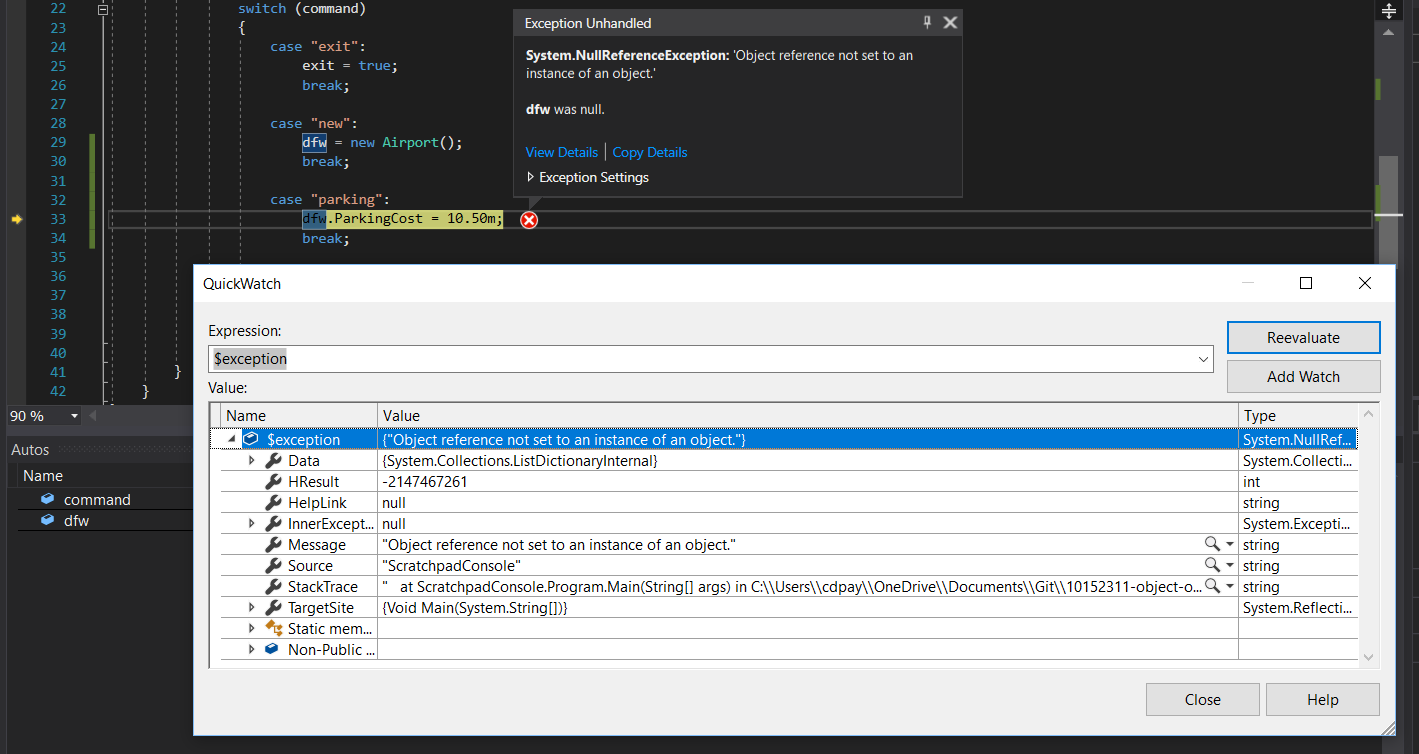
Run the application and enter 'parking' as a command. You should get a NullReferenceException because the dfw object has not been instantiated first.
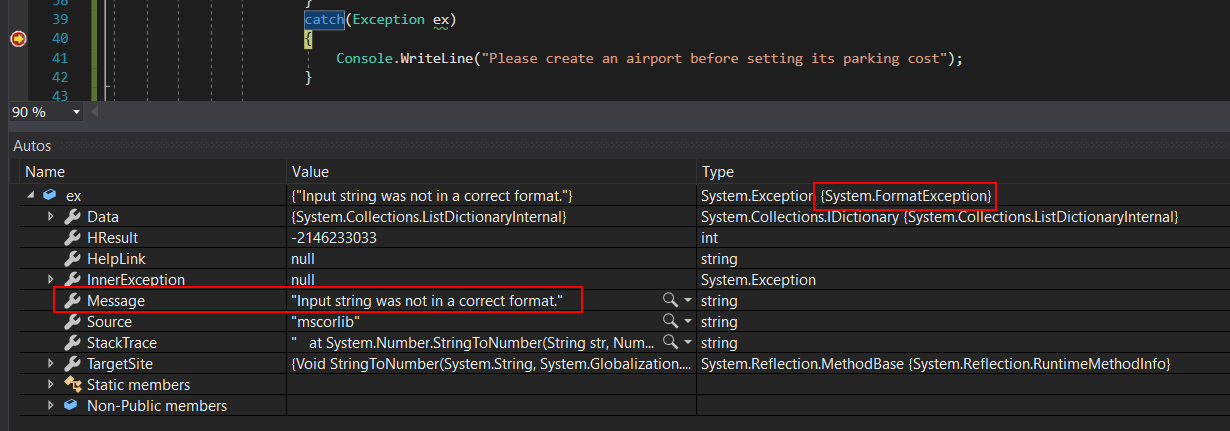
A NullReferenceException is an object. Because it's an object it has its own properties that we can use as shown in the image below. We will be looking at this in more detail in a later step.
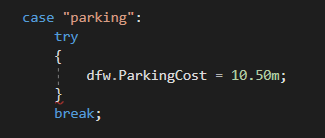
Add a try statement around the code that we want to protect from throwing a NullReferenceException. In this case it's the line of code that assigns the ParkingCost property.
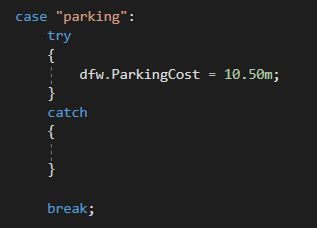
Set a breakpoint at the opening curly brace of the try statement.
Run the application and type enter 'parking' as a command. The breakpoint should be hit.
Press F10 over the line of code that assigns the ParkingCost. Instead of a NullReferenceException being generated it will jump to the catch statement instead.
Press Continue or F5. The message you wrote should be displayed in the console and the while loop should start over again.
This error handling has kept the application from crashing and allows the user to try again. An application should NEVER crash on a user.
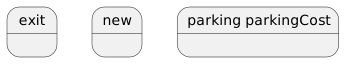
In this step you will be taking multiple words and parsing (to separate) them for different uses. This assumes that the commands being entered do not have extra spaces, commas, etc.
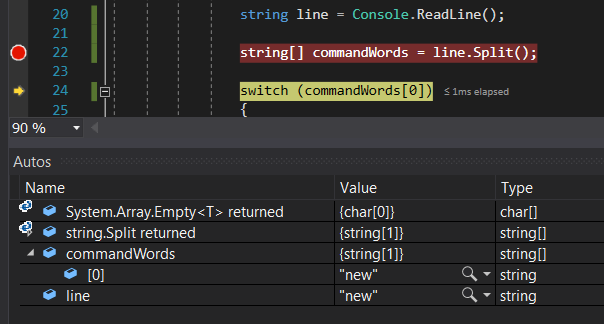
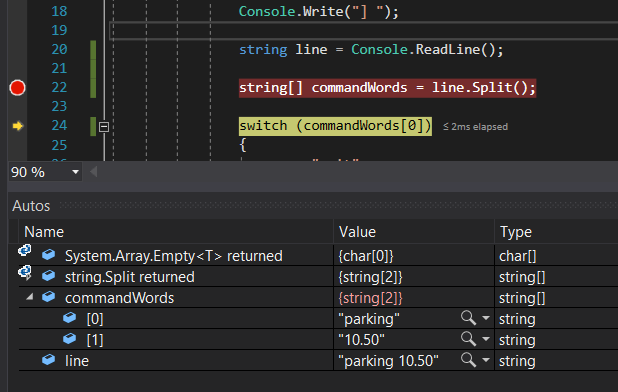
string[] commandWords = line.Split();string[] means that this is an array and the type of things IN the array are strings.
Split() takes the words in the line variable and converts them into an array based on spaces by default. This is called an extension method and will be covered later in the course.
![Snip: CommandWords[0] for 4.3 Scratchpad Learning Activity (NEW). Use the adjacent task instructions to identify the required controls, output, or debugger values.](Images/43ScratchpadLearningActivityNEWI06.png)
Arrays are 0 based just like lists to the first item in an array is going to be at 0. The bracket notation is used to identify the place in the array.
dfw.ParkingCost = decimal.Parse(commandWords[1]);decimal.Parse() takes a string and returns its decimal equivalent.
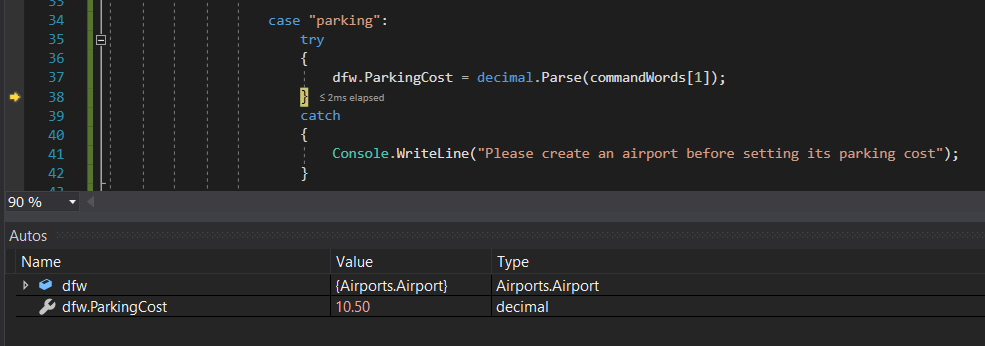
Currently, if users type in anything other than 'parking 10.50' they will get the error message about creating an airport because our catch statement is generic and if anything fails that's the message the user will get. This isn't a helpful message since the user might actually have created an airport and if they have this makes no sense. In this step you will explore different ways of handling exceptions thrown by the application.
After the catch keyword in the try/catch, add (Exception ex). What this does is catch any exception thrown in the try statement and stores that exception object in the ex variable.

Expand the ex object the autos window. Note that the type of exception is shown and the Message property contains information about what the exception is.
We don't have to catch all exceptions like the previous step. To give more specific messages we can catch individual exceptions.
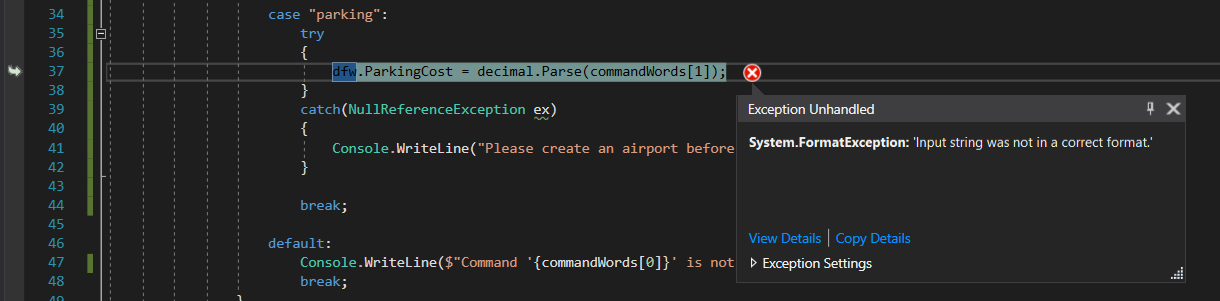
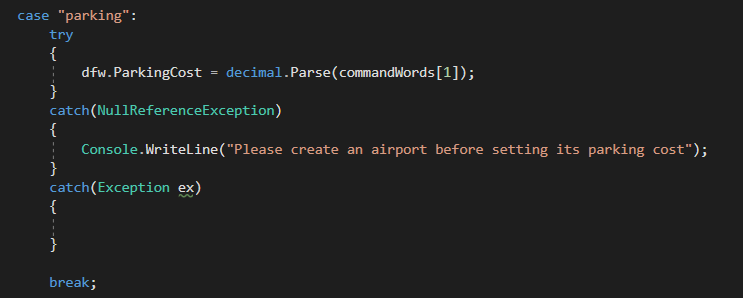
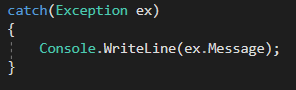
Run the application and enter the commands 'new' and 'parking ten'. The console should write out the generic exception message: 'Input was not in a correct format'.
We now know that there is a FormatException that could be thrown, but the message is too generic for users.
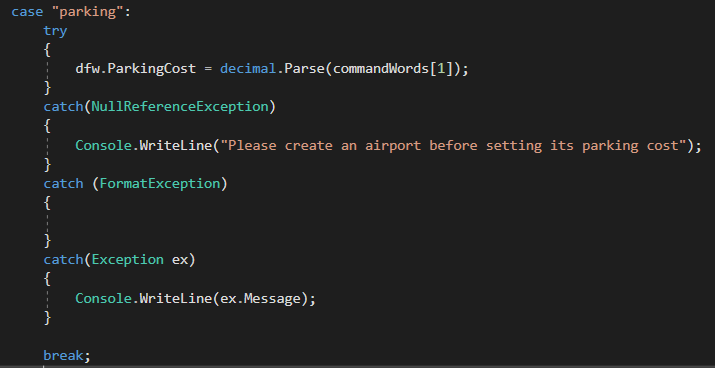
Start the application. Enter in the commands 'new' and 'parking ten'. You should see the message about correct number formatting that is more specific.
Run the application and enter the commands 'new' and 'parking'. You should get the exception message: 'Index was outside the bounds of the array', which means our code is trying to get a value from an array that is too short.
We have a number of ways we can handle exceptions, but we want to throw an exception if a user inputs a value outside of a particular range for the ParkingCost. There's nothing that Visual Studio has that handles this specific situation so we need to throw an exception ourselves.
In the ParkingCost setter in the the Airport class, test if the value is greater than or equal to 0 and less than or equal to 100. If it is, assign the parkingCost to the value.
throw new ArgumentOutOfRangeException();If you've previously cleaned your usings, you will need to add a: using System;
Using the 'new' keyword here indicates that this exception is an object. We saw this before with NullReferenceExceptions and other types of exceptions.
An ArgumentOutOfRangeException is a type/class that inherits from Exception. You can F12 on it like any other class to explore what it is/does and what it inherits from.
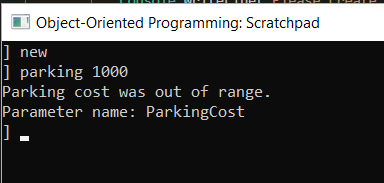
Return to each story and verify its acceptance criteria. Preserve the submission format and destination stated in the activity; a reading, setup guide, lab, video demonstration, and oral final may require different evidence.
Add a new case for Parking Cost. Add error handling to the parking case. Allow the console to handle more than one word as a command. Create better messages for potential user mistakes. Throw an exception.