Acceptance criteria
- Window controls increase and decrease the birthing room temperature.
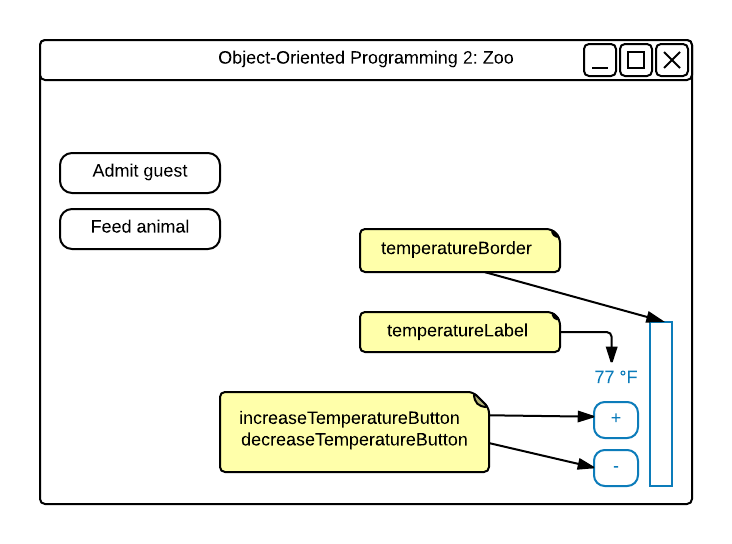
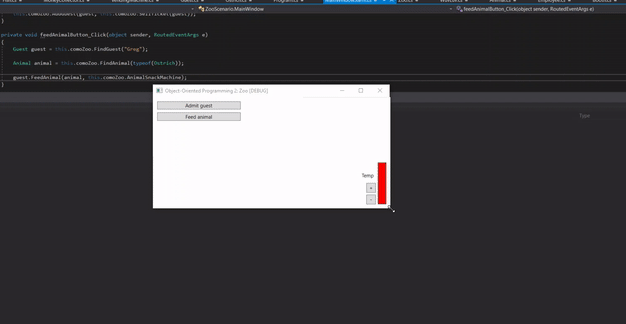
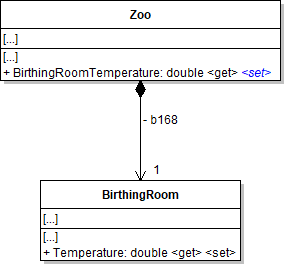
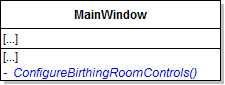
Set the label's Content to the BirthingRoomTemperature.
<RepeatButton ... />
The temperature currently displays as a whole number (e.g. 77). We want to display the temperature as 77.0 °F. Use string.Format to accomplish this task.
4.3.4 How to Use String.FormatM. Check Your Work:
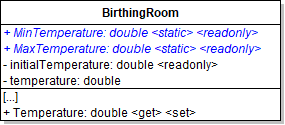
double colorLevel = ((this.comoZoo.BirthingRoomTemperature - BirthingRoom.MinTemperature) * 255) / (BirthingRoom.MaxTemperature - BirthingRoom.MinTemperature);

this.temperatureBorder.Background = new SolidColorBrush(Color.FromRgb(
    Convert.ToByte(colorLevel),
    Convert.ToByte(255 - colorLevel),
    Convert.ToByte(255 - colorLevel)));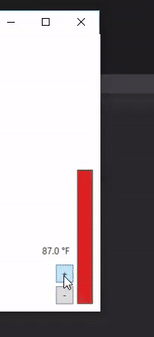
string[] commandWords = command.Split();The first item in the array represents the main command the user wants to run.
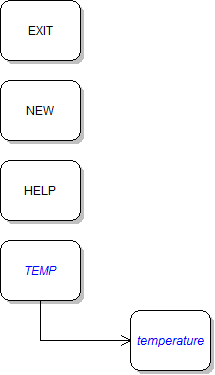
Parse the string as a double, as shown in the code below:
Double.Parse(commandWords[1]);It should look like the following when it is written to the console:
Previous temperature: 70.0 °F.New temperature: 77.0 °F.Be sure to include directions for how to use the parameter. It should look like the following:
TEMP: Sets the birthing room temperature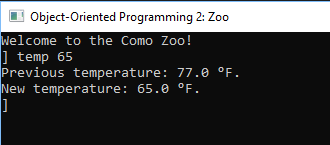
You must do this in order to get this step to work. We will be adding this validation back in at a later step.
This means that the temperature should only be in between those two temperatures.
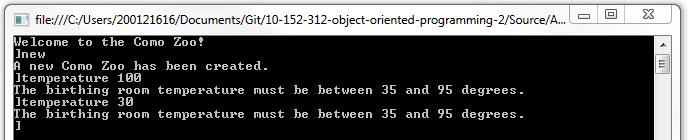
It should look like the following:
The birthing room temperature must be between 35 and 95 degrees.Show a message box in each block telling the user that the birthing room temperature must be between 35 and 95 degrees.
throw new Exception("The temperature must be above 35 degrees.");Catch Exceptions and write the exception's message to the console, as shown in the code below:
case "temp":
    try
    {
      // existing code here
    }
    catch (Exception ex)
    {
        Console.WriteLine(ex.Message);
    }
break;Move the existing code in each inside the try block. Show a message box with the exception's message inside the catch block.
Use the constructor that takes a parameter name and message, passing in the following values (or similar ones):
catch (ArgumentOutOfRangeException ex)
{
    // code here
}Display a message to the user in the console stating that a number must be submitted as a parameter in order to change the temperature. No variable is needed for the FormatException because it would not be used.
try
{
    // code here
}
catch (ArgumentOutOfRangeException ex)
{
    // code here
}
catch (FormatException)
{
    // code here
}Display a message to the user stating that a parameter must be entered in order for the temperature command to work. No variable is needed for the IndexOutOfRangeException because it would not be used.
try
{
    // code here
}
catch (ArgumentOutOfRangeException ex)
{
    // code here
}
catch (FormatException)
{
    // code here
}
catch (IndexOutOfRangeException)
{
   // code here
}Display a message to the user stating that a new zoo must be created before they can change the temperature.
Name the method NewZoo.
Then return the variable.
this.comoZoo = Zoo.NewZoo();Instead of setting the variable to a new zoo, set it to the result of calling the static NewZoo method.
RESTART: Creates a new zoo.We no longer need it since we've ensured a new zoo will always be instantiated.
The command should run successfully without first running the 'new' or 'restart' command.
Pass in a message stating that the guest couldn't be admitted because they did not have a ticket.
The guest should be added the first three times, but the message about a missing ticket should pop up the fourth time.
© 2026 Northcentral Technical College