The Como Zoo would like to branch out and add some toys and a Hummingbird to their Zoo.
Under Construction
This page is currently being built. Please check back soon.
This page is currently being built. Please check back soon.
Work through the user stories in order. Each story states the goal and acceptance criteria; its nested tasks retain the detailed implementation and verification steps.
Check the result against this instruction: Copy your 3.3 ending code, renaming both the folder and the Visual Studio solution file
The Como Zoo would like to branch out and add some toys and a Hummingbird to their Zoo.
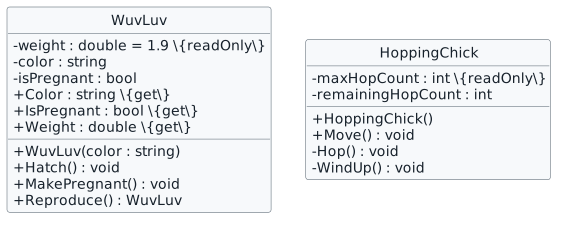
You will define classes for a WuvLuv and a HoppingChick, define behaviors for them and instantiate a new Hummingbird.
This focused design shows the members or flow relevant to this feature. Keep unchanged members from your preceding checkpoint; follow the tasks below for the order of intermediate edits.
Check the result against this instruction: Add a new folder to your project named Toys.
Check the result against this instruction: In the Toys folder, define classes using this story’s design reference.
<Button x:Name="birthHummingbirdButton" Content="Birth hummingbird" Click="birthHummingbirdButton_Click" />
<Button x:Name="birthWuvLuvButton" Content="Birth WuvLuv" Click="birthWuvLuvButton_Click" />
animal = new Hummingbird("Female", "Helen", 2, 0.8);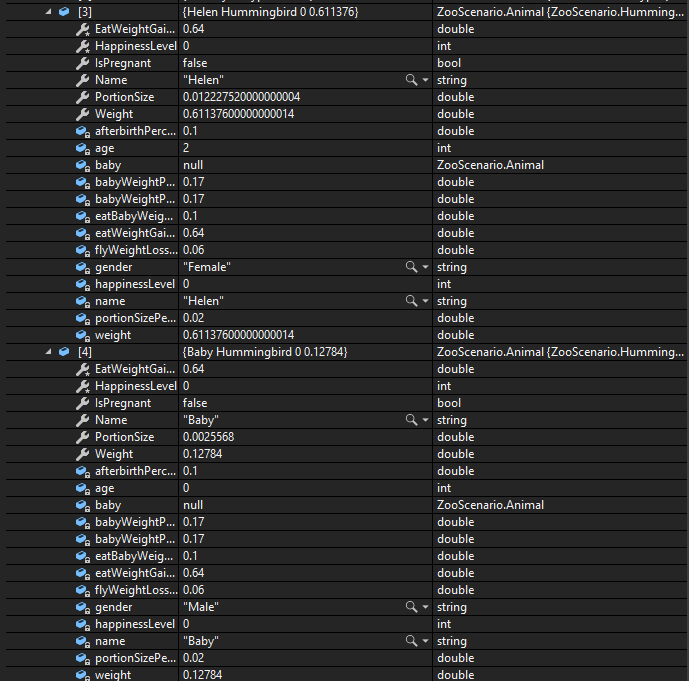
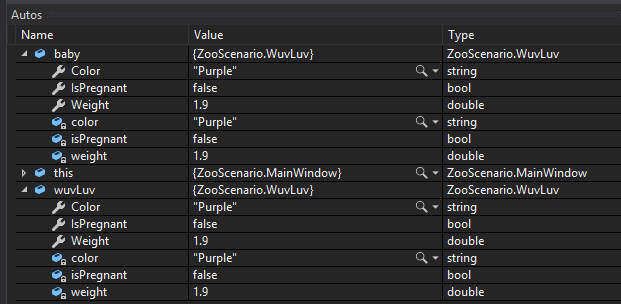
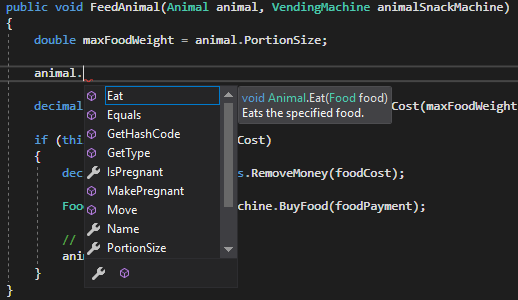
Currently a guest can alter things about the animal like its name and its pregnancy status when it should only be able to feed it.
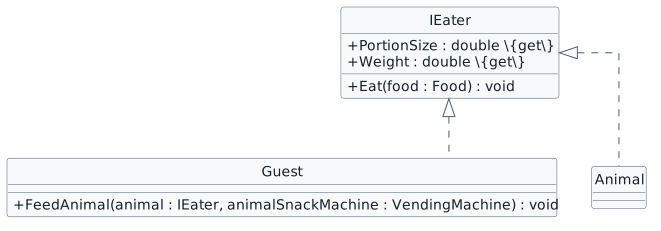
You will define an interface named IEater and have the Animal and Guest classes implement it.
This focused design shows the members or flow relevant to this feature. Keep unchanged members from your preceding checkpoint; follow the tasks below for the order of intermediate edits.
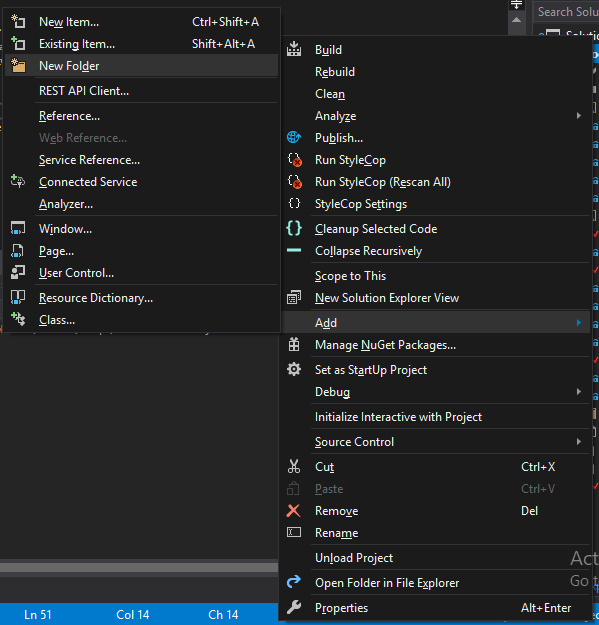
Check the result against this instruction: Right-click the ZooScenario, go down to the Add, click NewFolder and name it Interfaces 3.4.2 How to Add an Interface to Your Project
Check the result against this instruction: Right click the Interfaces folder, go to Add and click Class.
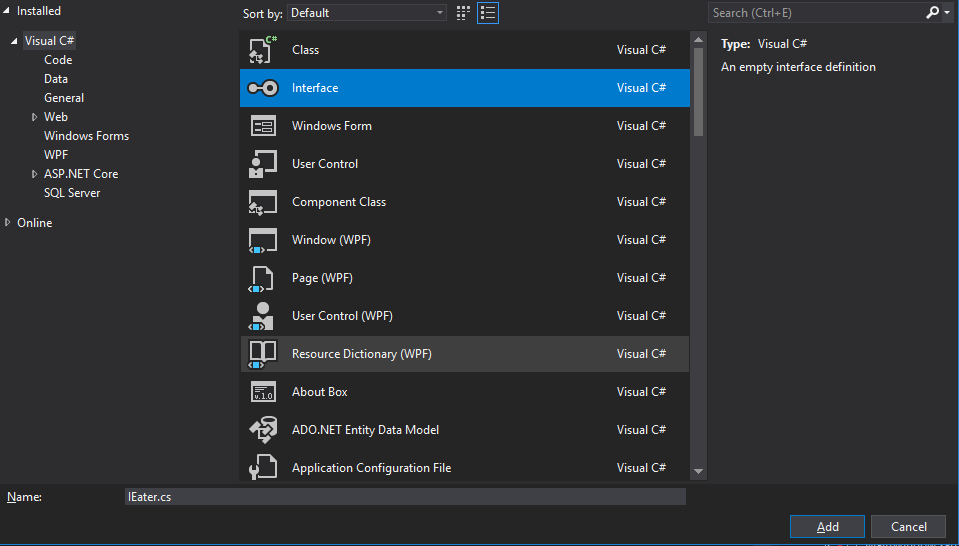
Check the result against this instruction: In the Add New Item window, select Interface and name the file IEater.cs. Click Add.
namespace ZooScenario
{
    public interface IEater
    {
    }
}Check the result against this instruction: In the IEater.cs, remove the .Interfaces from the namespace and make the interface public.
/// <summary>
/// Gets the maximum portion size the animal can eat.
/// </summary>
double PortionSize { get; }
/// <summary>
/// Gets the weight of the eater.
/// </summary>
double Weight { get; }
/// <summary>
/// Eats the specified food.
/// </summary>
/// <param name="food">The food to eat.</param>
void Eat(Food food);Check the result against this instruction: In the class body, add empty PortionSize and Weight properties and an empty Eat method.
public abstract class Animal: IEaterCheck the result against this instruction: In the Animal class, implement the IEater interface by adding it on to the class header.
Check the result against this instruction: In the Guest class, implement the IEater interface.

Check the result against this instruction: Observe the Error List Window
Check the result against this instruction: In the FeedAnimal method in the Guest class, change the Animal type parameter to a type of IEater.
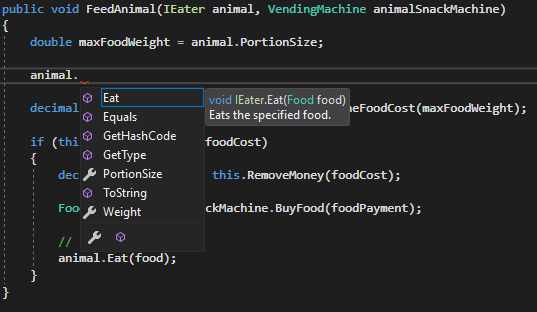
The Employee would like the ability to make animals and toys move, but they shouldn't have access to all of the other members that animals or toys might have that aren't related to moving.
You will define and implement an interface named IMover for animals and toys that move.
This focused design shows the members or flow relevant to this feature. Keep unchanged members from your preceding checkpoint; follow the tasks below for the order of intermediate edits.
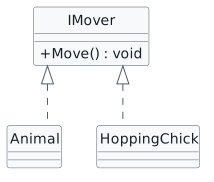
Check the result against this instruction: Add an interface named IMover to the Interfaces folder.
Check the result against this instruction: Define the interface using this story’s design reference.
Check the result against this instruction: Implement the IMover interface in the Animal class and HoppingChick class.

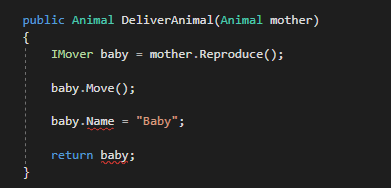
Currently when the Employee wakes all of the animals (Moves them), they are only moving Animal types. But they'd also like to test the HoppingChick to make sure the toy is working properly.
You will add a list of type IMover to the Zoo and use that list to wake all things that can move instead of just Animal types.
This focused design shows the members or flow relevant to this feature. Keep unchanged members from your preceding checkpoint; follow the tasks below for the order of intermediate edits.
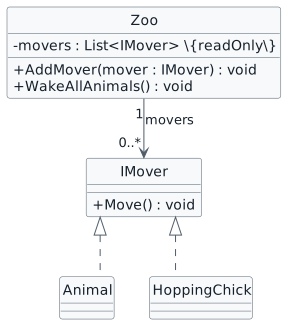
Check the result against this instruction: In the Zoo class, add a readonly list of type IMover called movers and instantiate it in the Zoo constructor.
Check the result against this instruction: In the AddAnimal method in the Zoo class, add the animal to the movers List in addition to the animals List.
Check the result against this instruction: Define a new method named AddMover that has a parameter named mover of type IMover. In the body of the method, if the mover parameter is not null, add it to the movers List.
Check the result against this instruction: In the newComoZooButton_Click, call the AddMover method and pass in a new instance of the HoppingChick class.
Check the result against this instruction: In the WakeAllAnimals method in the Zoo class, change the foreach loop to loop through the movers list instead of the animals list and change the type from Animal to IMover If we kept the type as Animal this method would build, but it would break at runtime when trying to get the HoppingChick because it isn't an Animal type.
Ensure you get an error due to the WuvLuv not implementing IMover. Delete this line of code.

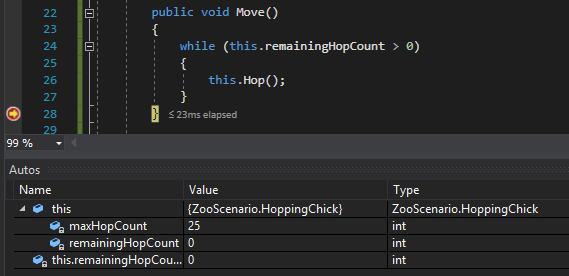
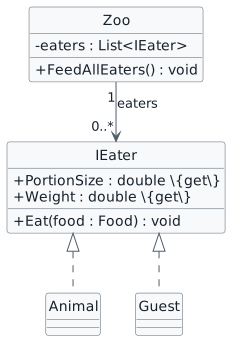
The Como Zoo would like to host a "Visitor/Animal" brunch where guests and animals eat at the same time, but we don't have a way of being able to ensure that only things that can eat should be eating.
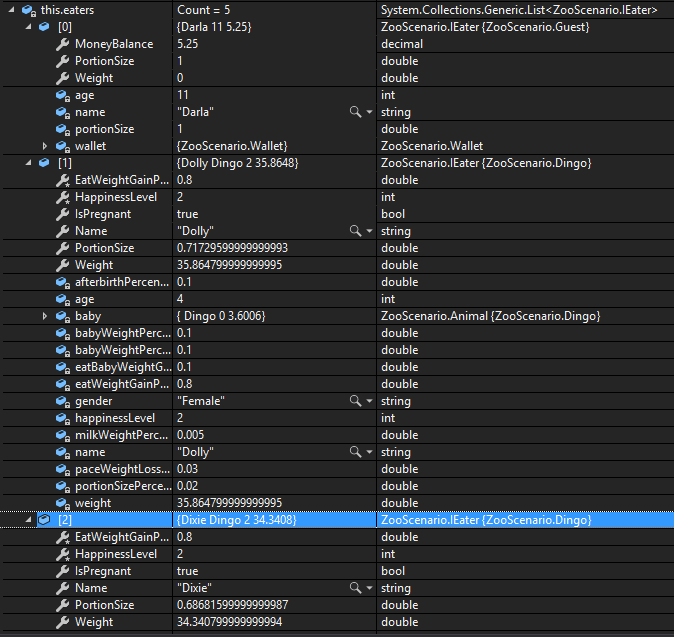
You will define a list of type IEater with Animal and Guest types in it and loop through the list to have them eat.
This focused design shows the members or flow relevant to this feature. Keep unchanged members from your preceding checkpoint; follow the tasks below for the order of intermediate edits.
<Button x:Name="comoZooFeedAllEatersButton" Content="Feed all eaters" Click="comoZooFeedAllEatersButton_Click" />

Check the result against this instruction: Ensure that your code is StyleCop compliant.
Check the result against this instruction: Zip the solution and submit to the Feedback System.
Check the result against this instruction: Submit the Feedback System url to the correct assignment in Canvas.
Return to each user story and confirm that you can demonstrate its acceptance criteria. Use the task checkboxes to track completion; a checked box is not a substitute for testing or inspecting the required evidence.
Add a hummingbird and working toys Feed objects through an eating contract Describe moving objects with an interface Wake animals and test a moving toy together Feed guests and animals togetherRemove temporary lines used only to demonstrate compile-time errors. Build without errors or warnings, check StyleCop compliance, and rerun the required scenario paths.
Use the submission or attendance instructions in this page. For a Feedback System submission, upload the requested ZIP, review and resolve the feedback, and submit the resulting URL to the matching Canvas activity. For a Canvas quiz, enter only the requested answers; for an oral final, complete the scheduling and attendance steps.