OneDrive

Overview

OneDrive

OneDrive Installation and Setup

Work through the stories in order. Use the acceptance criteria to check each feature, and complete the nested tasks using the specified names, values, and scenarios.

Set up course file synchronization
Acceptance Criteria
Acceptance criteria
  • OneDrive is installed and signed into the correct account.
  • The selected folders and storage settings match the configuration steps.
  • A course file can be saved and located in the synchronized folder.
Instructions
1.Install OneDrive

OneDrive is automatically installed on Windows 10 devices and NTC computers.

OneDrive Download

OneDrive Download
A Download OneDrive from the link above if it is not already installed or needs to be reinstalled.
2.Configure OneDrive
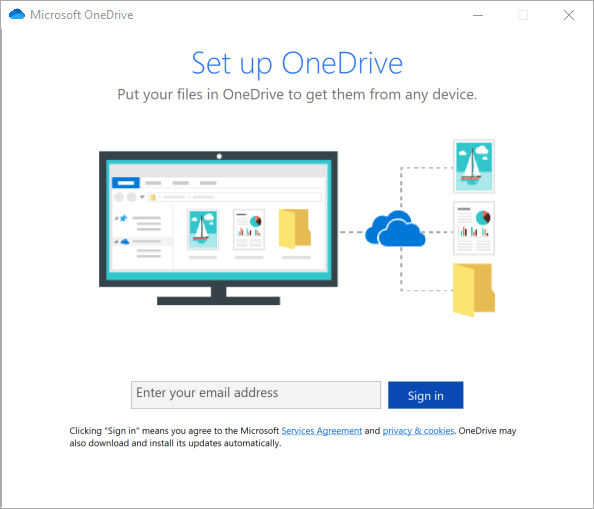
A Open the OneDrive app. It will prompt you to sign in with an email. Use your student email address.
OneDrive Sign In for OneDrive. Use the adjacent task instructions to identify the required controls, output, or debugger values.
OneDrive Sign In
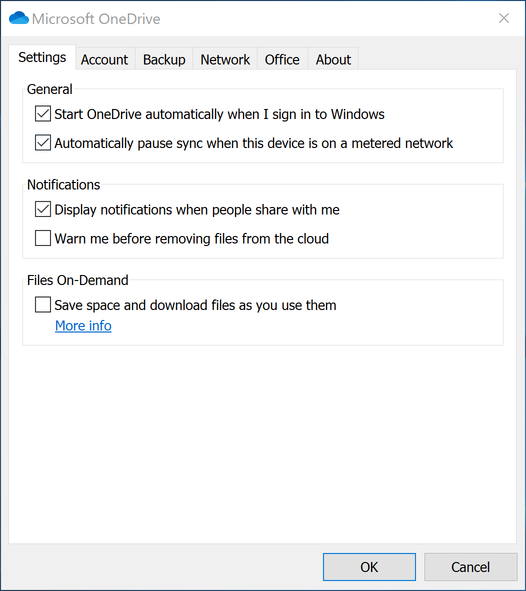
B Once signed in, click on More -> Settings. A new window should pop up. Click on the Settings tab.
C Under the Notifications section, uncheck the box for Warn me before removing files from the cloud.
D Under the Files On-Demand section, uncheck the box for Save space and download files as you use them.
OneDrive Settings for OneDrive. Use the adjacent task instructions to identify the required controls, output, or debugger values.
OneDrive Settings
E Click Ok to save the changes.
3.Use OneDrive
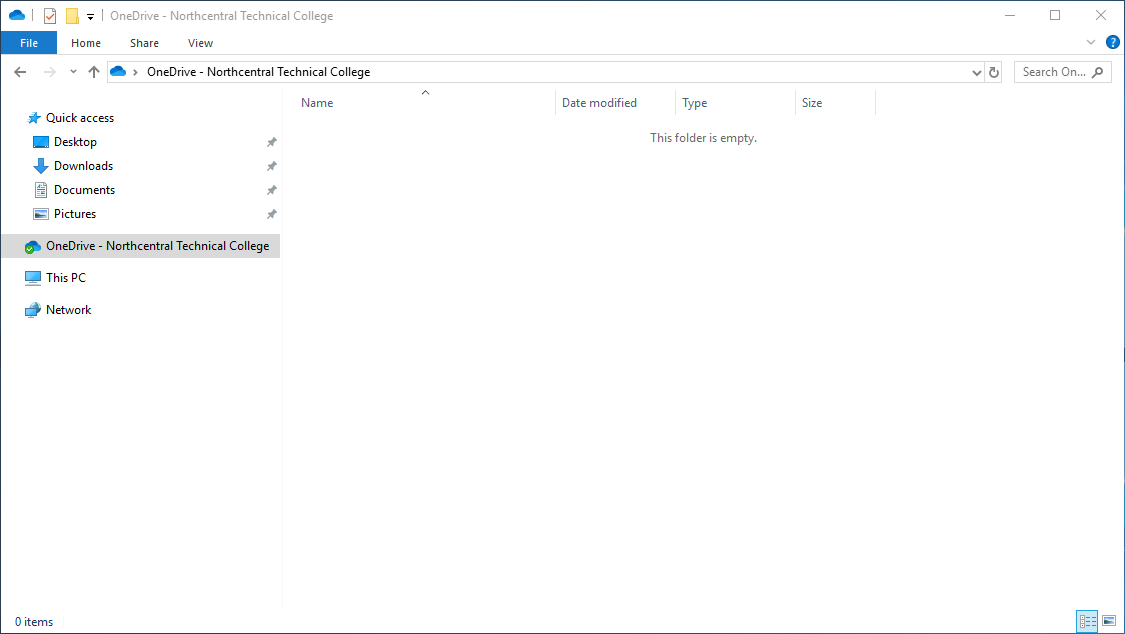
A Open File Explorer and navigate to the OneDrive - Northcentral Techincal College folder on the left.
OneDrive Storage for OneDrive. Use the adjacent task instructions to identify the required controls, output, or debugger values.
OneDrive Storage
B You can now store files in that folder and access them on any computer that you are signed into OneDrive on.
Completion review
4.Review the feature acceptance criteria
A Confirm the required results

Return to each story and verify its acceptance criteria. Preserve the submission format and destination stated in the activity; a reading, setup guide, lab, video demonstration, and oral final may require different evidence.

Set up course file synchronization