1.6 Grade Book Assignment

Overview
1.Have Blackboard and Canvas share their course teachers
A Compare the instructor references before the change
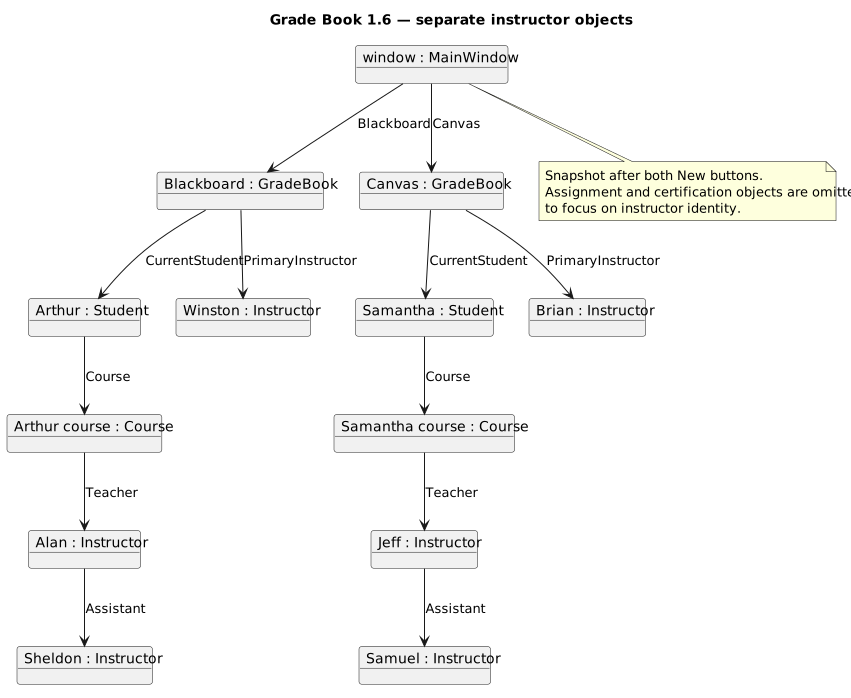
Grade Book 1.6 — separate instructor objects. Named runtime objects and the references connecting them.
Object Diagram - Separate Instructor Objects
  • New
  • Changed
  • Removed
B Modify newBlackboardButton_Click in MainWindow.xaml.cs

Winston’s services are no longer needed. Remove his creation and initialization statements so the student’s teacher, Alan, can fulfill both roles.

1 After the teacher’s CertificationExam.Score assignment, update PrimaryInstructor to refer to the existing Course.Teacher, as shown in the object diagram below
C In newCanvasButton_Click, do the same for Canvas as you did for Blackboard
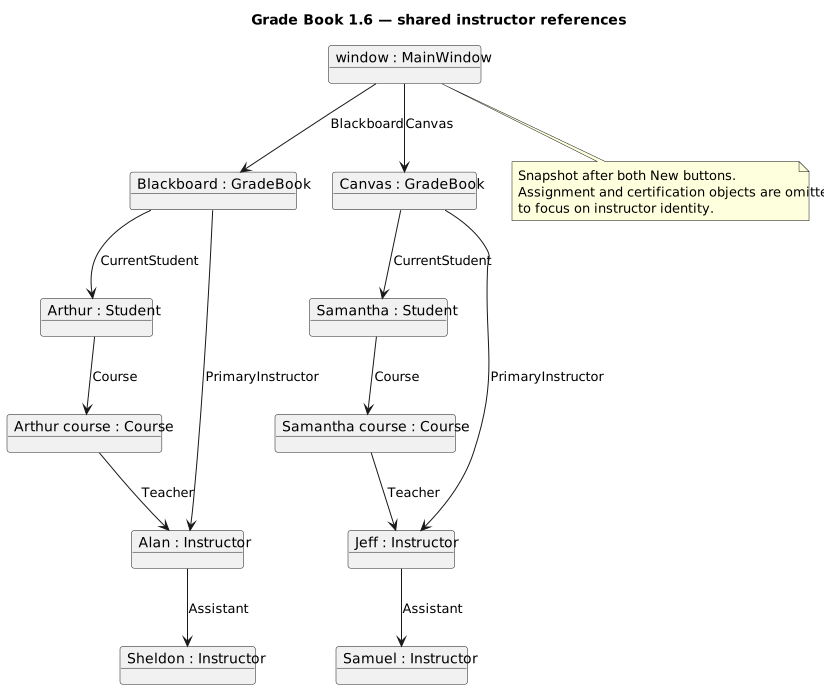
Grade Book 1.6 — shared instructor references. Named runtime objects and the references connecting them.
Object Diagram - Shared Instructor Objects
  • New
  • Changed
  • Removed
D Check Your Work (Shared Instructor Objects):
1 Set a breakpoint at the end of each New button handler and create the corresponding grade book
2 Use object.ReferenceEquals in Watch to confirm that PrimaryInstructor and CurrentStudent.Course.Teacher refer to the same object in each grade book
3 Temporarily change the instructor’s Name through PrimaryInstructor in the debugger. Ensure that the change appears through Course.Teacher as well, then restart to discard the temporary change