Acceptance criteria
- The account has the required API key.
- Postman is installed and configured with the requested workspace and collection.
12.1 Lab
Calling Web APIs - Take Snippets of Each Step Completed Successfully
Work through the stories in order. Use the acceptance criteria to check each feature, and complete the nested tasks using the specified names, values, and scenarios.
The Movie Database Sign-Up
The Movie Database Sign-UpYou will need to verify your email address after creating an account.
The Movie Database's API Introduction
The Movie Database's API IntroductionGo to your account | settings | API | Request an API Key
Select Developer
Read through the Terms of Use and Accept
Fill out the required information (Application type, Application name, summary, Your name, address, etc) and click Submit
You will be sent an email containing a reply from someone at The Movie Database, click on this link to get your API Key and links to their documentation.
Download Postman
Download PostmanGo to the Globals tab, and in the Variable column type in api_key, tab over to the initial value column and paste in your API key from the account setup task. Tab over again to copy the intial value into the current value. Click Save and exit out of the Globals page.
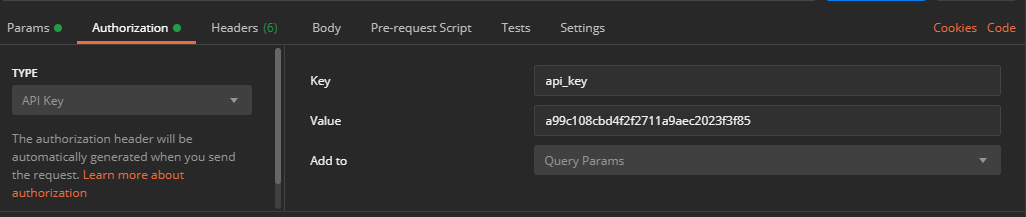
In the Authorization tab of the request select API Key as authorization type, ensure that the key and value fields are prefilled with your api_key global variable key name and value. Select Query Params from the Add To dropdown menu.
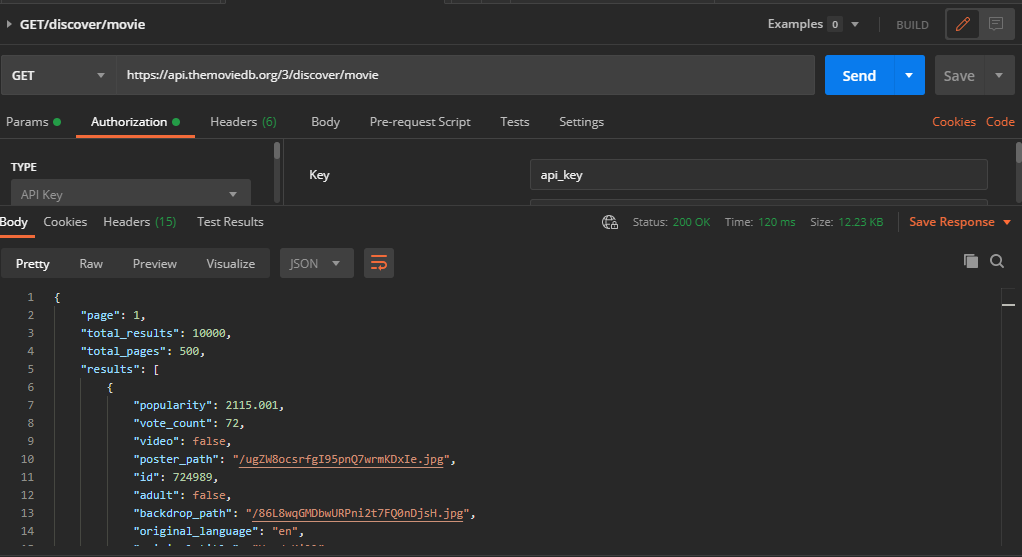
https://api.themoviedb.org/3/discover/movieThe results should look similar to the below image.
In the URL text box of your new request paste in the below. Ensure the request type is GET,, set your authorization type to API Key and click Send.
https://api.themoviedb.org/3/authentication/token/newThe results should look similar to the below image.
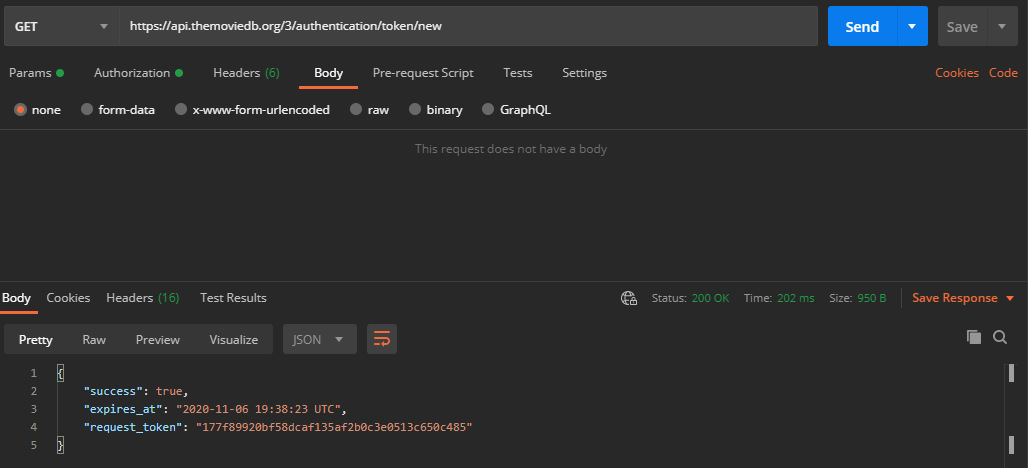
This token will be used to authenticate your authorization to make GET and POST requests to your The Movie Database account
This token does expire! Once expired, you will have to send a request for a new token.
{Request_Token} with your new token.https://www.themoviedb.org/authenticate/{REQUEST_TOKEN}The browser will take you to your account, where you can grant your POSTMAN collection read/write permissions on your The Movie Database account. Click Approve.
In the URL text box of your new request paste in the below. Ensure the request type is POST. Set the Authorization type to API Key. Do not hit send at this point.
https://api.themoviedb.org/3/authentication/session/newIn the Body tab of your request, select raw, and change the format from Text to JSON. In the editor paste in your request token as shown below.
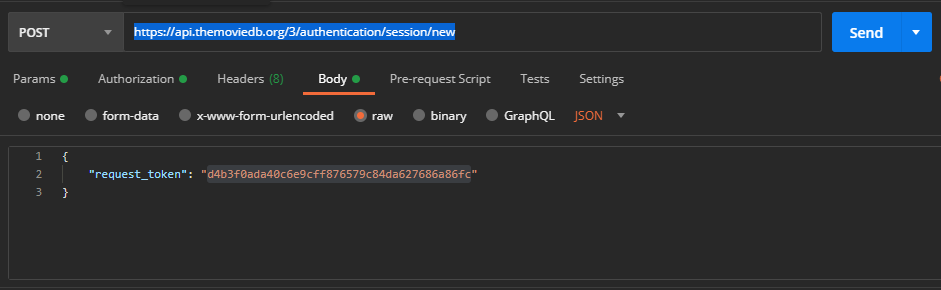
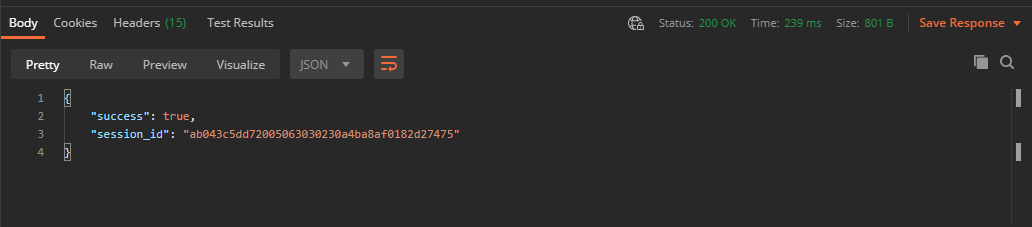
In the URL text box of your new request paste in the below. Ensure the request type is GET. Set authorization type to API Key. Do not hit send at this point.
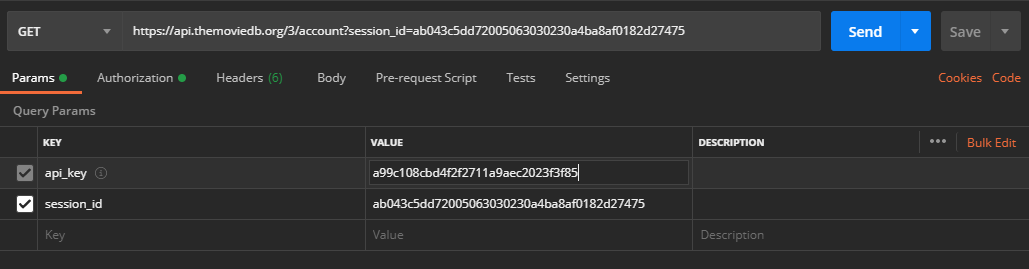
https://api.themoviedb.org/3/accountIn the Params tab of your request enter in session_id in the key column, underneath api_key, and the session id received from the “Create a new POST session request” task. The request should look similar to the below image.
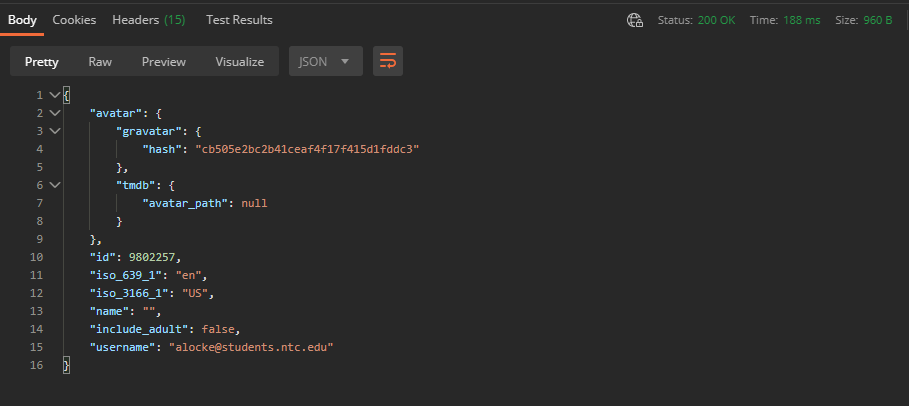
Click Send. The results should look similar to the below image. Copy the id object value. This will be used to POST a favorite movie to your account.
{account_id}/favorite{account_id} with your account id. Ensure the request…In the URL text box of your new request paste in the below, replacing {account_id} with your account id. Ensure the request type is POST. Ensure authorization type is API Key. Do not hit send at this point.
https://api.themoviedb.org/3/account/{account_id}/favorite
In the Params tab of your request enter in session_id in the key column, underneath api_key, and the session id received from the “Create a new POST session request” task.
{
"media_type": "movie",
"media_id": 560,
"favorite": true
}
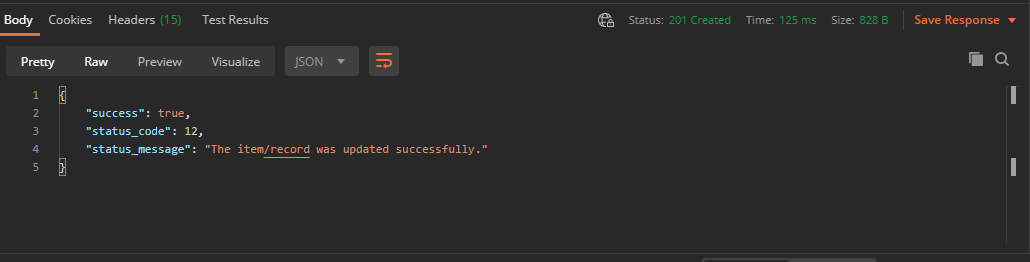
If you receive a 403 error your request token may have expired, and you will need to go through the process of getting a new request token, granting access to your account, and getting a new session id again.
{account_id}/favorite/movies{account_id} with your account id. Ensure the request…In the URL text box of your new request paste in the below, replacing {account_id} with your account id. Ensure the request type is GET. Set Authorization to API Key. Add your session_id to the query params.
https://api.themoviedb.org/3/account/{account_id}/favorite/movies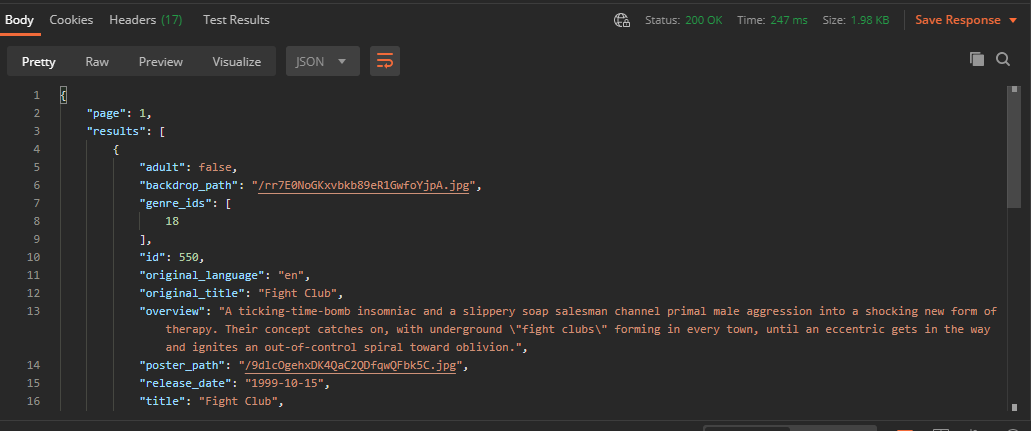
Return to each story and verify its acceptance criteria. Preserve the submission format and destination stated in the activity; a reading, setup guide, lab, video demonstration, and oral final may require different evidence.
Prepare The Movie Database requests Read movie data with GET Create and verify a favorite movieUse these links to revisit the named tasks referenced in the directions.
Create a new POST session request