Overview
1.Overview
A
Ensure that you are able to access the correct channels and communicate with fellow students in a channel
2.Join the fundamentals channel
A
In Slack, create a direct message with "Jake Seever", the iTEC Manager, and request to be added to the fundamentals channel
Jake may be out of the office and may not be able to add you immediately. Feel free to work on other assignments while you wait.
3.Introduce Yourself in the fundamentals channel
A
Where you are from
B
Why you are interested in IT
C
What kind of career/job you would like in the future
D
Your favorite food
4.Reply to Someone in the fundamentals channel
5.Review the Pins in the fundamentals channel
A
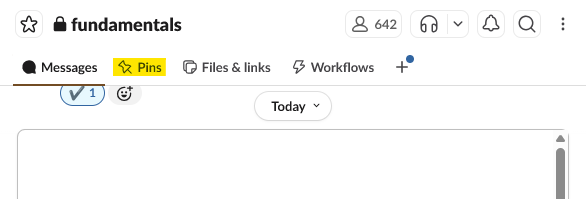
Open the fundamentals channel and select the Pins tab
Review the currently pinned information so you know where to look for channel resources and announcements.
6.Post a Greeting in Your f-channel
7.Submit Screenshots to Canvas
Submit the following screenshots directly to Canvas. Each screenshot must be readable, include enough surrounding context to verify the required evidence, and avoid unrelated or sensitive information.
- Your introduction post in the fundamentals channel.
- Your @ reply or question to another student, instructor, or IA in the fundamentals channel.
- Your greeting posted in your f-channel.