To use the 'dot' operator, simply type whatever object you are interested in and type a dot(.) and intellisense will bring up the members of that particular object that are available to it.
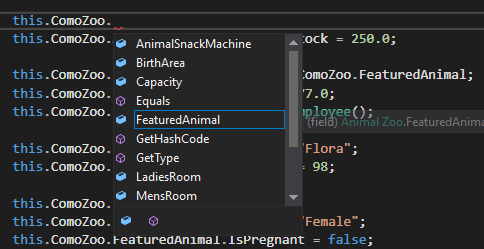
Note that there are some members that are going to look unfamiliar such as Equals and GetType in the example above. Those will be covered later in the course.
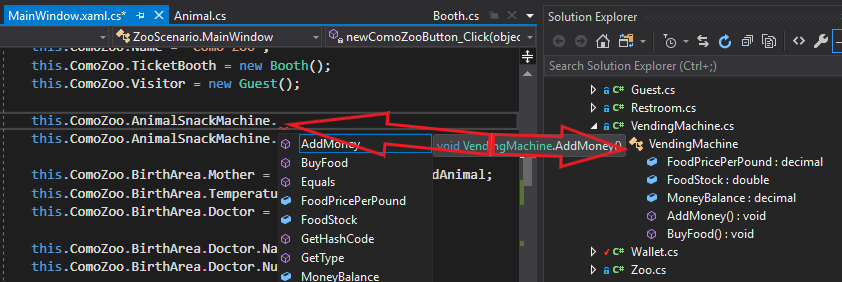
The dot operator can be used to navigate through many objects/classes. In the example below, the dot operator is used to access the members of the ComoZoo object and then the AnimalSnackMachine members.
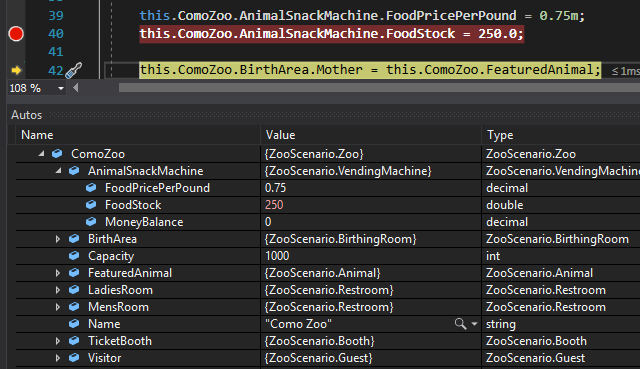
An easy way to see what members belong to what object/class is to expand objects in the Autos Window. In this example, in order to assign the AnimalSnackMachine's FoodStock field you would first need to access the ComoZoo object's members and then the AnimalSnackMachine's members.