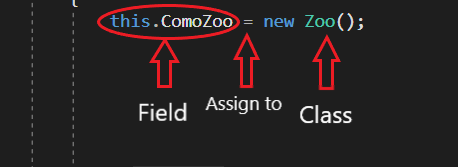
Object instantiation takes place when the 'new' keyword is attached to a class and assigned to a field or variable. The image below can be read as: The ComoZoo field is assigned to a new instance of the Zoo class.
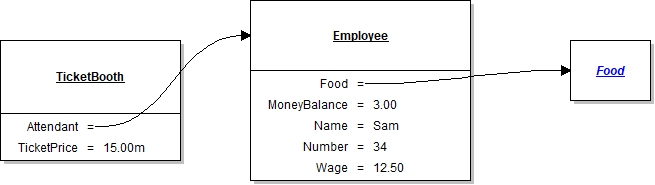
Each week in this course you will see an object diagram for most of your assignments. It will indicate the objects that have to be instantiated and configured by having the field values set in order to complete the assignment.
So say you were given the task to instantiate a Food item for the Attendant with the diagram below.
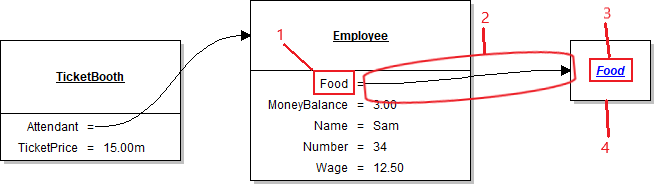
Let's break down what the diagram is telling us.
Now combining how to instantiate objects and the object diagram we were given, we can write the line of code that instantiates the Attendant's Food.

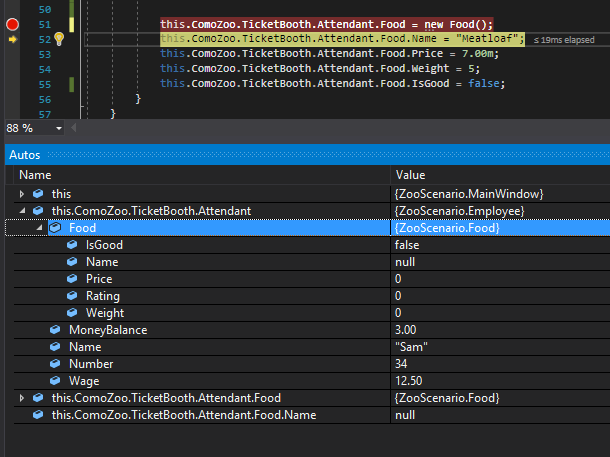
So when we run the application after setting a breakpoint we can see that the Attendant's Food field is null.
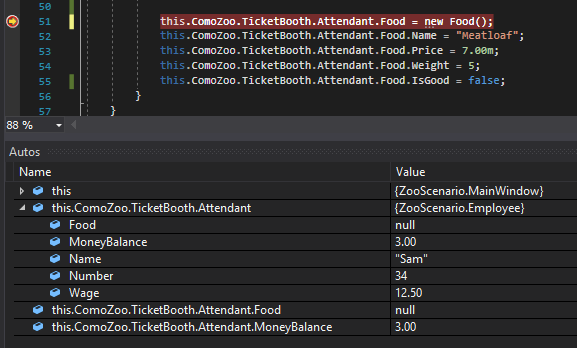
Once we execute that line, then, we can see that that Food field is now referencing an instance of the Food class.