
10-152-391 Team Software Development
DVCS Zoo Lab
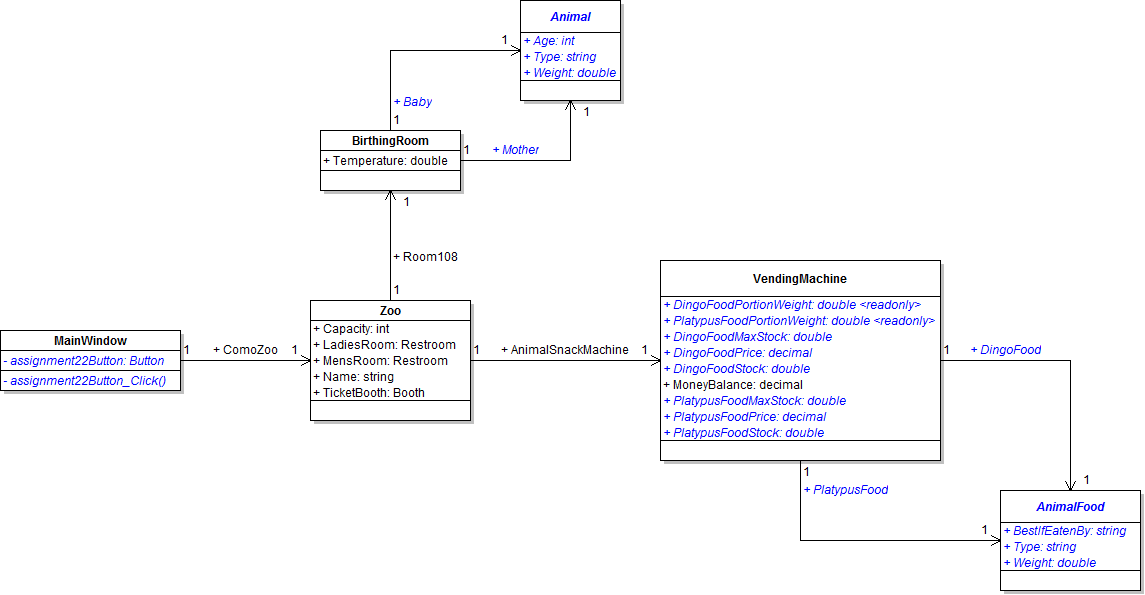
Zoo Class Diagram
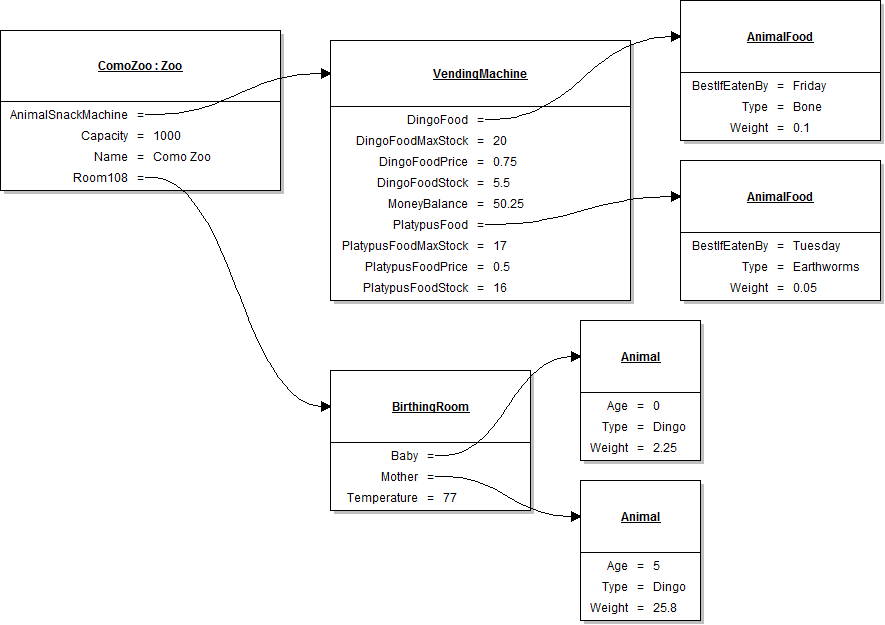
Zoo Object Diagram
Part One
- Make a copy of your Zoo code from the last lab. This will ensure you have a clean copy.
- Perform changes to your Zoo UML class diagram and your Visual Studio solution per the class diagram above. Once complete share your code with each other and ensure everyone's code matches. This way everyone is working from the same codebase. Additionally, use LucidChart to create the Zoo object diagram per the image above.
Discuss the pros and cons of working together in this manner.
Part Two
- Install the SourceTree program.
- Install and configure your local repository by cloning your team's repository.
- After you clone the repository, select a person on your team to put your clean Zoo code from the last lab in your repository. Others will then have to pull the changes down to their local repositories.
- Make the changes to your code per the UML and update both your local and central repositories. Remember to divide up the workload.
Discuss the pros and cons of working together in this manner.