
10-152-312 - Object-Oriented Programming 2
3.1 Zoo Assignment
Starting .zip File.
- Unzip the OOP2_3.1Zoo zip file.
- Rename the folder, changing "LastName" to your last name.
- Open the contained solution (.sln) file and examine the code in preparation for making further changes as specified below.
Getting started
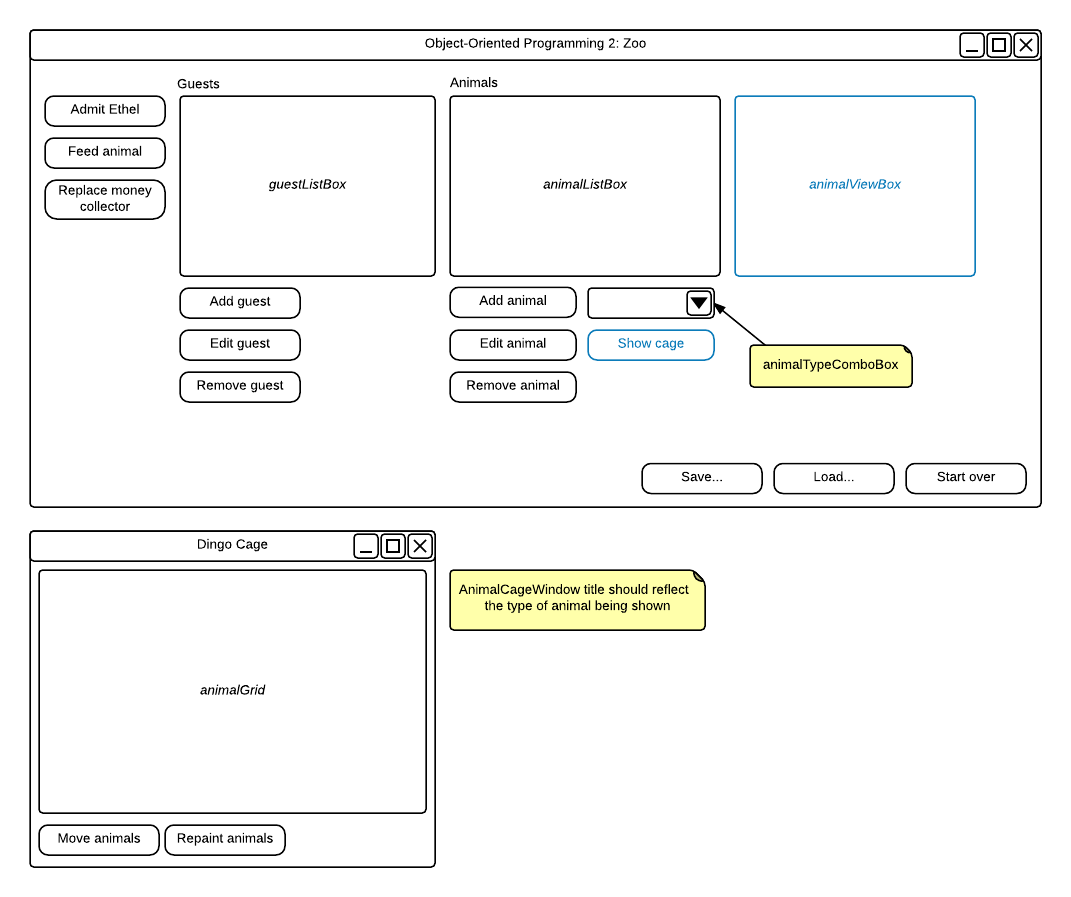
- Add buttons to the MainWindow as specified in the wireframe
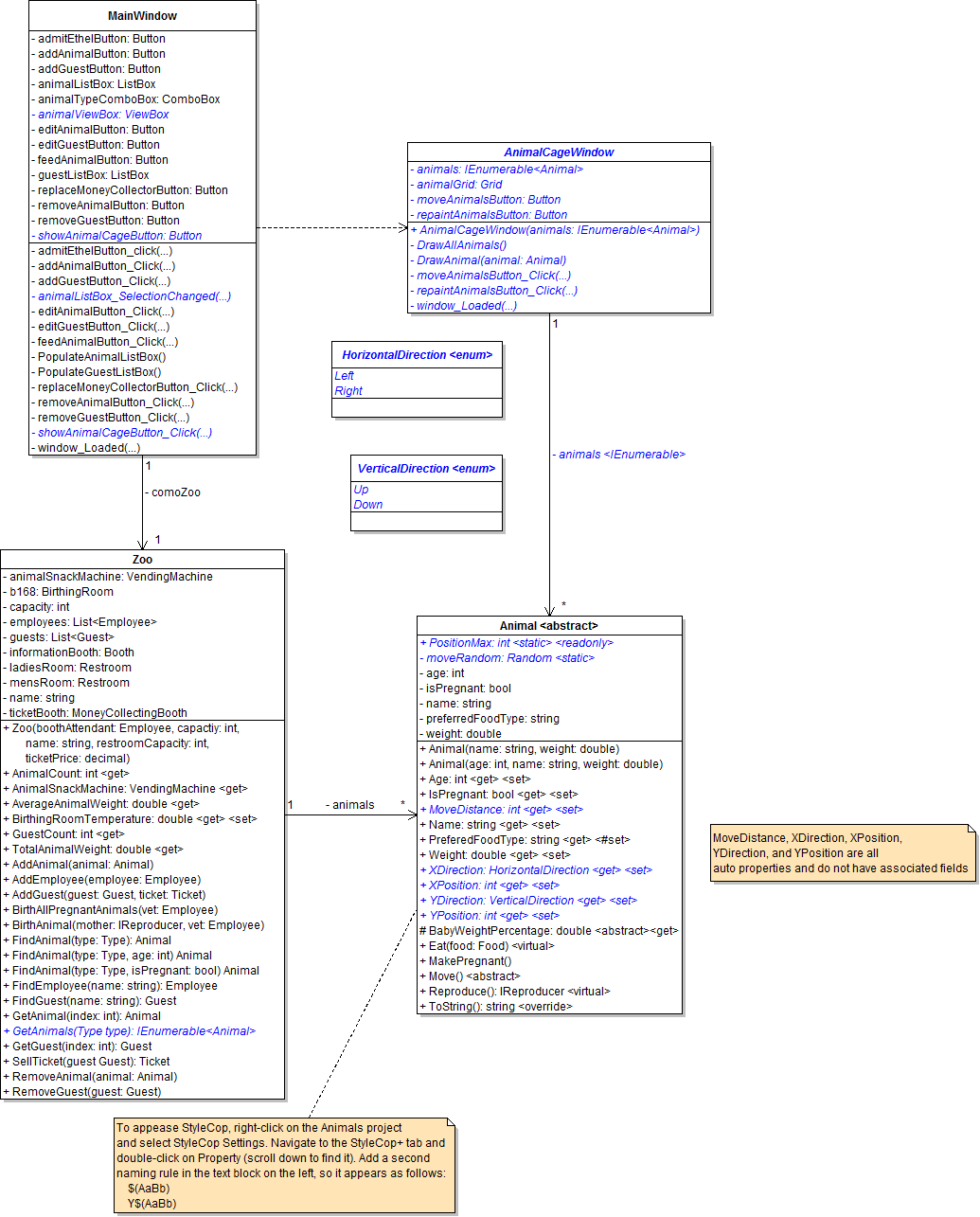
- Add the fields and methods to the MainWindow and Zoo as specified in the class diagram
Zoo
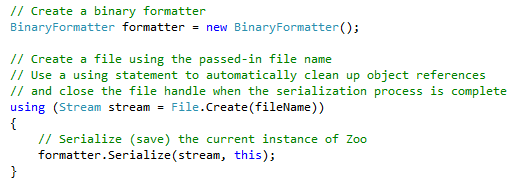
- Type the following code in the SaveToFile method:
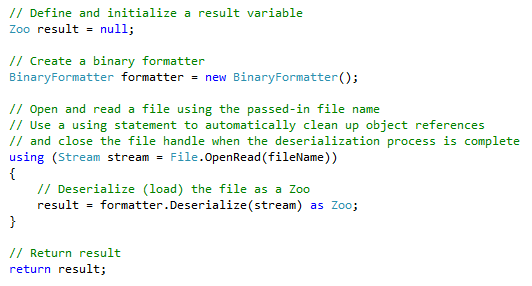
- Type the following code in the LoadFromFile method:
- Add using directives as necessary
MainWindow
- Initialize the autoSaveFileName to "Autosave.zoo"
- Type the following code in the SetWindowTitle method:

- You will need to remove the System.Windows.Shapes using directive and add System.IO in order for the call to Path.GetFileName to work correctly
- Inside the ClearWindow method, clear both list boxes
- Type the following code in the save button's click event handler:
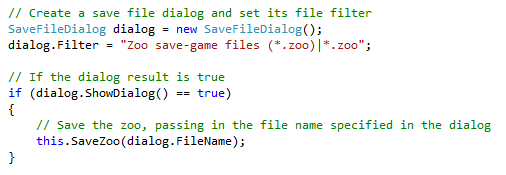
- Complete the SaveZoo method as specified in the sequence diagram
- Type the following code in the load button's click event handler:
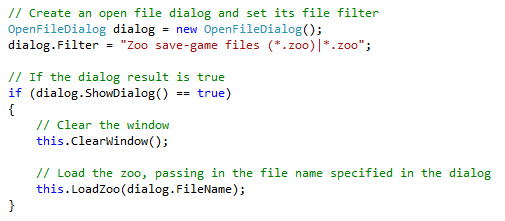
- Complete the LoadZoo method as specified in the sequence diagram
- Type the following code in the start over button's click event handler:

- Inside the window_Loaded event handler:
- Remove the existing creation of a zoo
- Call the LoadZoo method, passing in the autoSaveFileName
- If LoadZoo does not succeed (i.e. it returns false), create a new zoo and store it in comoZoo
- Call SaveZoo inside the window_Closing event handler, using the autoSaveFileName as the parameter
- Add using directives as necessary
Serializing
- Add the [Serializable] attribute to every class that will be serialized (Zoo and all classes it contains)
- The following do not need to be or cannot be serialized:
- Interfaces
- Enumerations
- Windows
- Console
3.1 Zoo Assignment: Class Diagram
Create/modify the classes as specified in the following UML class diagram.
3.1 Zoo Assignment: Sequence Diagram
saveButton_Click:

loadButton_Click:

3.1 Zoo Assignment: Console Command Diagram
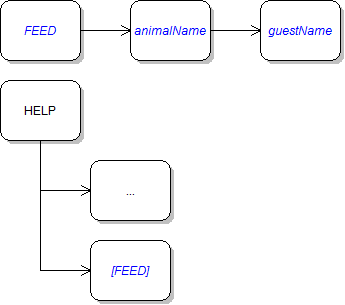
Implement console commands per the following diagram.
3.1 Zoo Assignment: Wireframe
Design the user interface per the following diagram.
Grading and Submission
- Build/compile your program
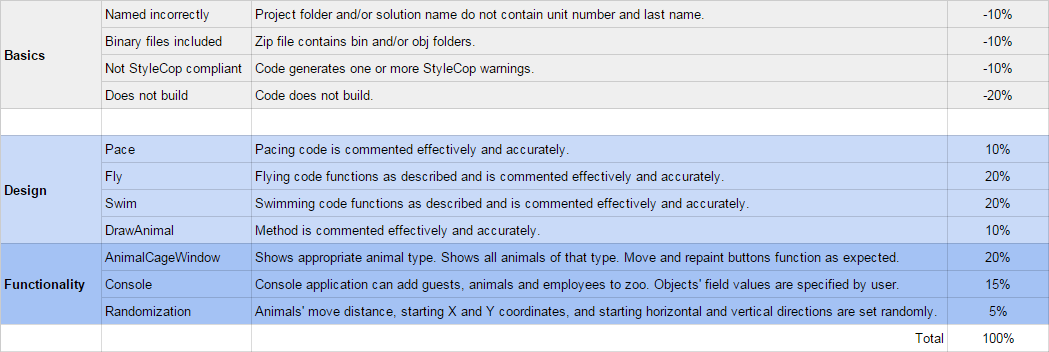
- Debug/test your program against the following rubric:
- Make your code StyleCop-compliant
- Close your Visual Studio solution
- Compress your Visual Studio solution to a zip file
- Submit the zip file via Blackboard