
10-152-312 - Object-Oriented Programming 2
1.1 Zoo Assignment
Starting .zip File.
- Unzip the OOP2_1.1Zoo zip file.
- Rename the folder, changing "LastName" to your last name.
- Open the contained solution (.sln) file and examine the code in preparation for making further changes as specified below.
Create/revise .NET assemblies as indicated by the following UML package (class) diagram.
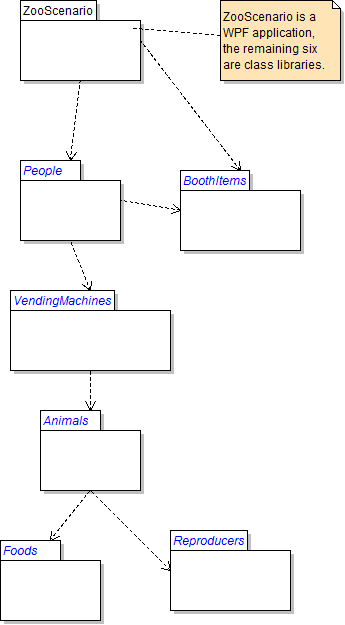
Notes
- Create each package as a Class Library project unless otherwise indicated.
- Create WPF applications for each executable package.
- Create dependencies (project references) across packages as indicated.
- If a package contains other packages, assume that a dependency needs to be created from the containing package to each of the contained packages.
1.1 Zoo Assignment: Package Diagram
Create/revise the classes as indicated by the following UML package (class) diagram.
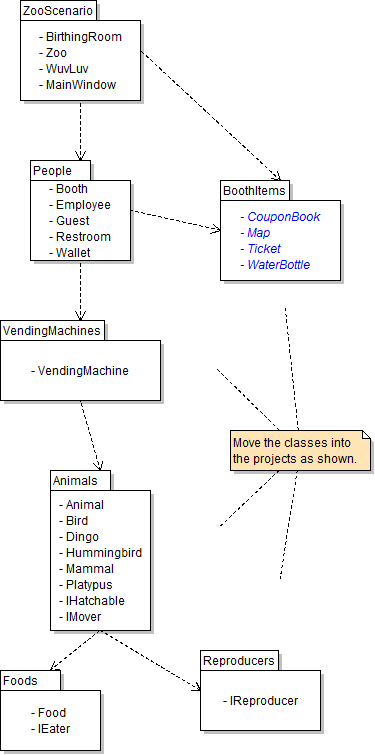
Notes
- Create WPF Window classes if class names end with Window; otherwise create basic classes.
- Note that not all classes need to be on a class diagram; if classes which existed previously do not appear on this particular diagram, they should not be deleted, as they are simply not relevant to this assignment, but may again be used in future assignments.
1.1 Zoo Assignment: Class Diagram
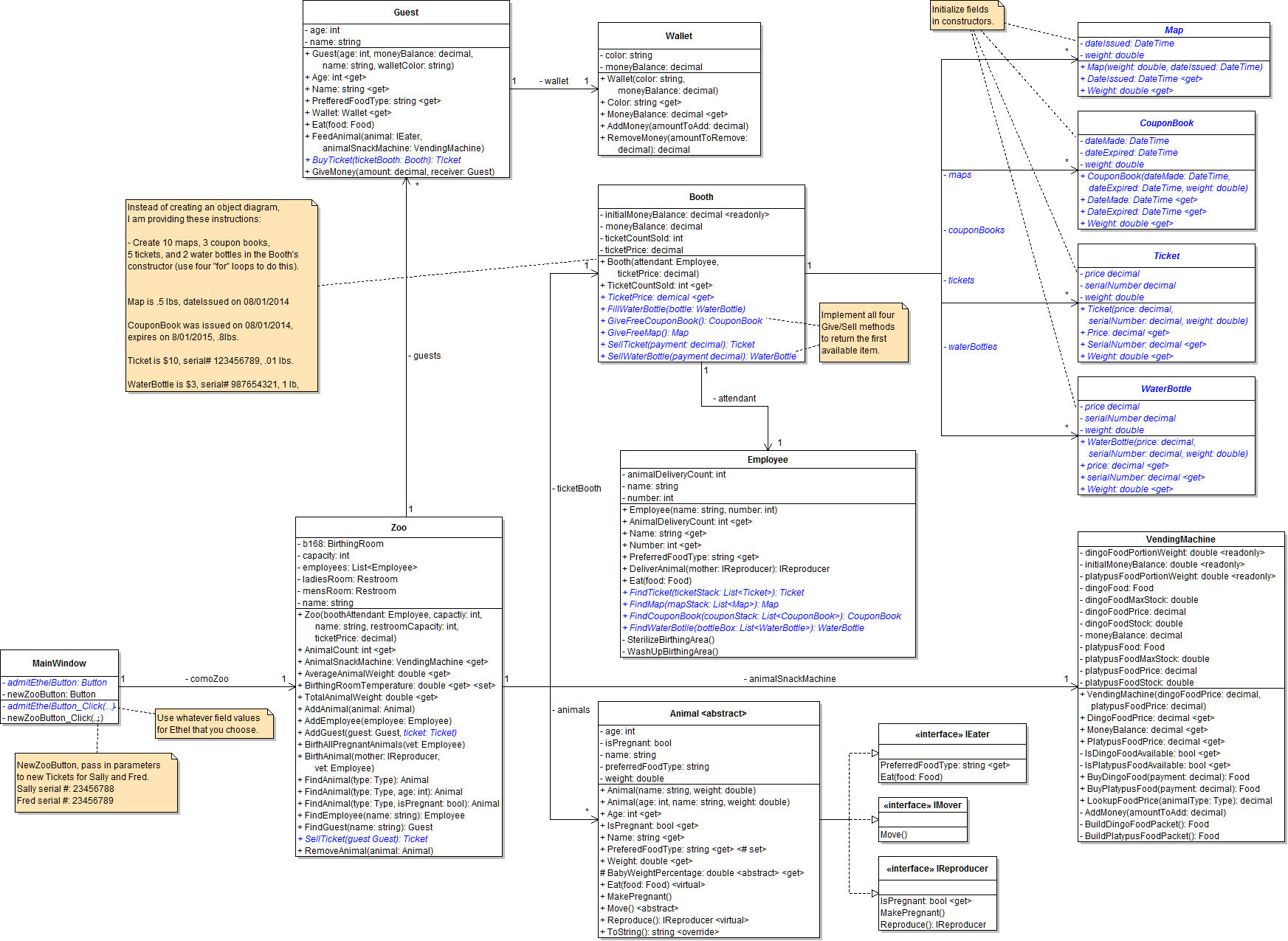
Create/modify the classes as specified in the following UML class diagram.
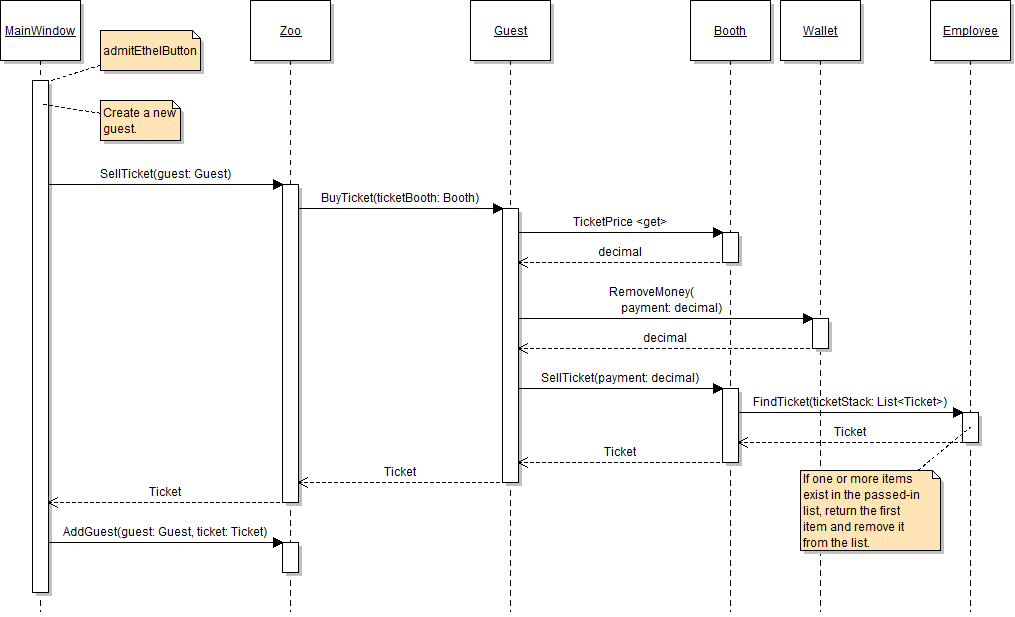
1.1 Zoo Assignment: Sequence Diagram
admitEthelButton_Click:
Grading and Submission
- Build/compile your program
- Debug/test your program against the following rubric:
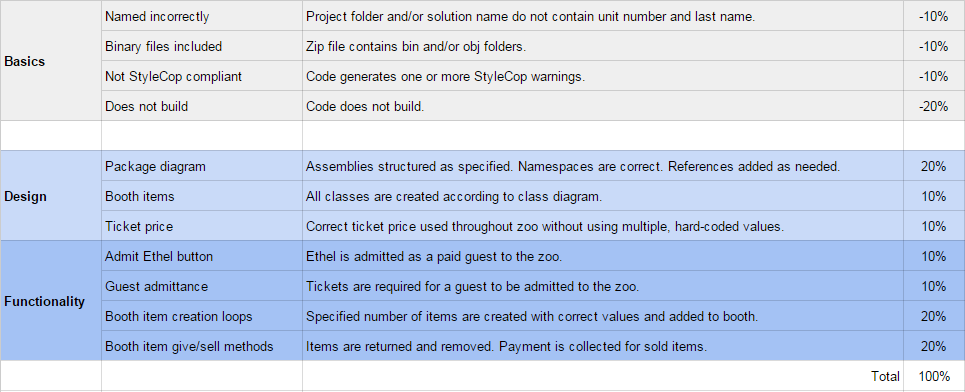
- Make your code StyleCop-compliant
- Close your Visual Studio solution
- Compress your Visual Studio solution to a zip file
- Submit the zip file via Blackboard