10-152-311 - Object-Oriented Programming 1

5.1 Zoo Lab: Overview

In this assignment, you will convert public fields and methods to be private, wrapping several of the now-private fields with constructors.

High-Level Steps:

  1. Change all fields from public to private as indicated on the class diagram.
  2. Comment out all code which fails to compile due to "inaccessible" compiler errors with a "TODO: Encapsulation" note.
  3. Ignore all compiler warnings due to unused/uninitialized fields at this time.
  4. Set up all constructors per the class diagram.
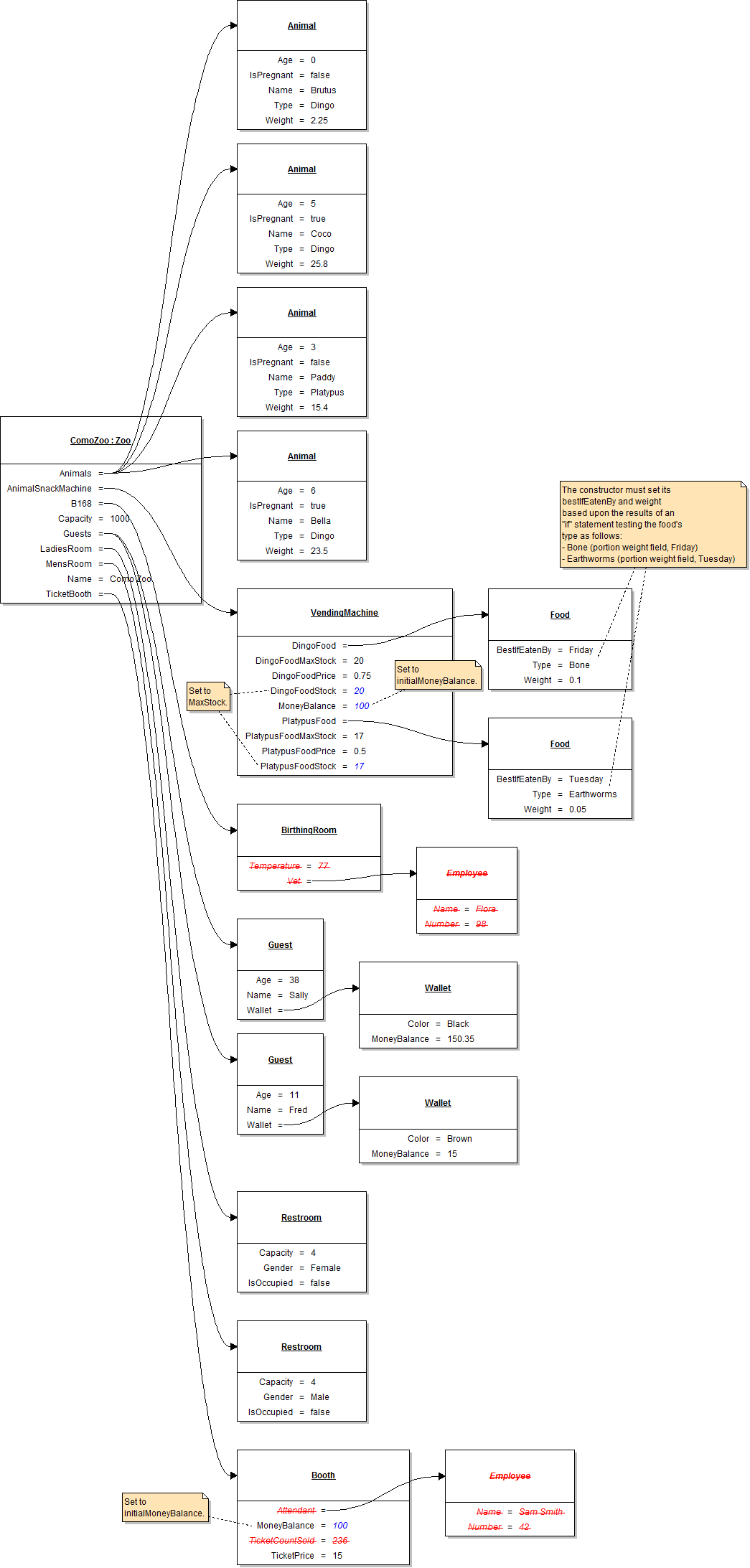
  5. Pass parameters into the constructors as required to set fields as specified in the object diagram.
  6. If fields are specified in the object diagram which are not passed into constructors, assume each of their values to be hardcoded within the appropriate constructor.
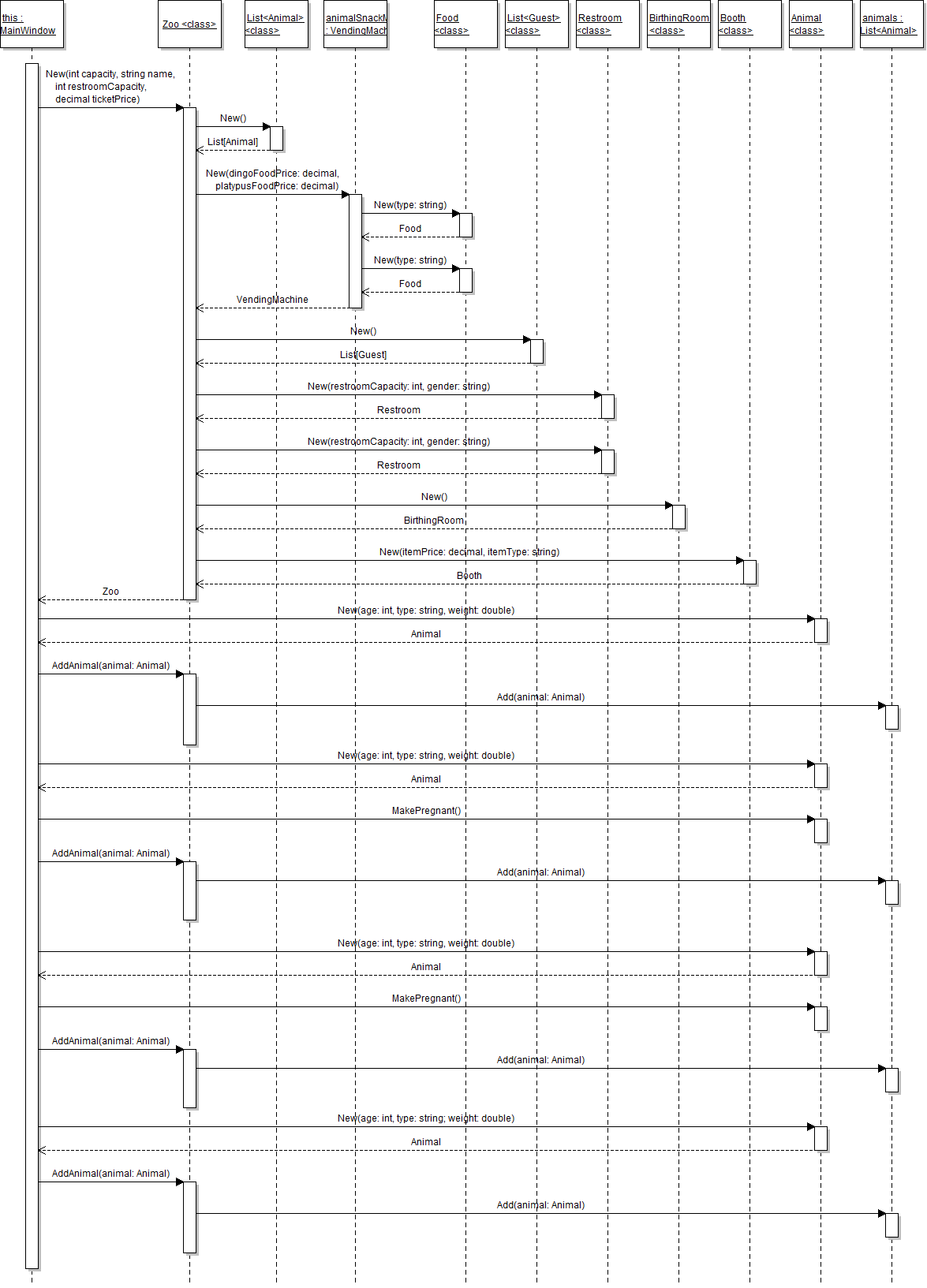
  7. The sequence diagram is for reference only -- an example of how one might show constructors on a sequence diagram.

5.1 Zoo Lab: Class Diagram

Implement the changes specified in the following UML class diagram.

Create any button(s) and button click event handler(s) in the WPF window designer (if specified in the class diagram).
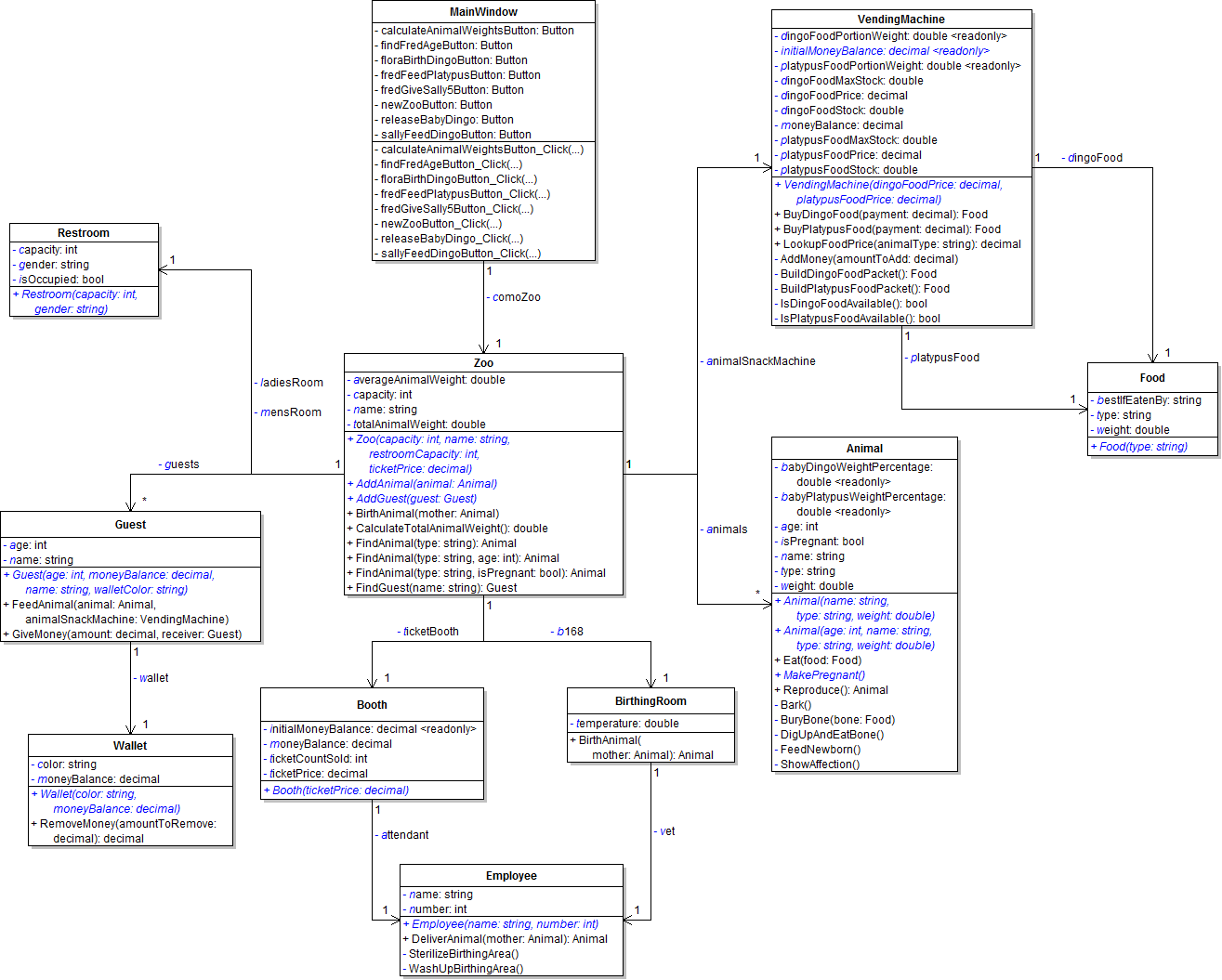
PNG image of 5.1  Zoo UML class diagram
  1. When creating classes be sure to:
    1. Ensure the class in the root namespace. This can be done in one of two ways. Either by adding the class in the project, i.e. scenario, or by adding the class to the business classes folder and removing the ".Business_Classes" designation from the namespace.
  2. Open the main window (MainWindow.xaml) in designer mode (right-click and click "View Designer" or press Shift-F7 to go to designer mode).
5.1 Zoo Lab: Object Diagram

Instantiate the objects and set their field values as specified in the following UML object diagram.

PNG image of 5.1 Zoo UML object diagram

5.1 Zoo Lab: Code Snippet

Within the newZooButton click event handler use the following code snippet as your guide to writing the code.

Delete all existing code in newZooButton_Click, replacing with the following:

// Create the Como Zoo.

// Create Brutus and add him to the zoo.

// Create Coco.

// Make Coco pregnant.

// Add Coco to the zoo.

// Create Paddy and add him to the zoo.

// Create Bella.

// Make Bella pregnant.

// Add Bella to the zoo.

// Create Sally and add her to the zoo.

// Create Fred and add him to the zoo.

5.1 Zoo Lab: Sequence Diagram 1

newZooButton_Click

PNG image of the 5.1 Zoo UML sequence diagram #1

5.1 Zoo Lab: Final Steps

Test, Complete and Submit

  1. Build your program - Eliminate compiler errors and warnings
  2. Debug/Test your program - Set breakpoints, step through code, monitor values
  3. Make your code StyleCop-compliant
  4. Close your Visual Studio solution.
  5. Compress your Visual Studio solution to a zip file.
  6. Submit the zip file via Blackboard.

Grading Rubric

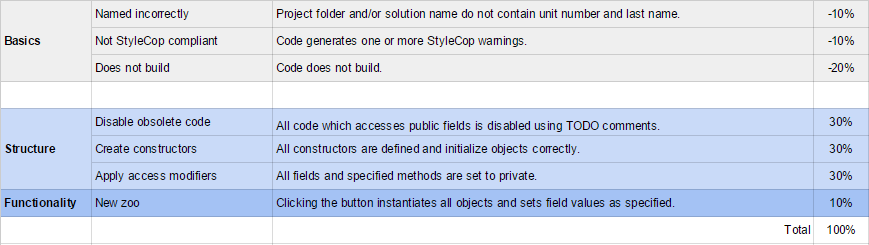
PNG image of the 5.1 Zoo rubric