10-152-311 - Object-Oriented Programming 1

6.1 Gradebook Activity: Overview

In this activity we will be creating more specific attempt classes and refactor our code to make use of inheritance.

6.1 Gradebook Activity: Class Diagram

Implement the changes specified in the following UML class diagram.

Create any button(s) and button click event handler(s) in the WPF window designer (if specified in the class diagram).
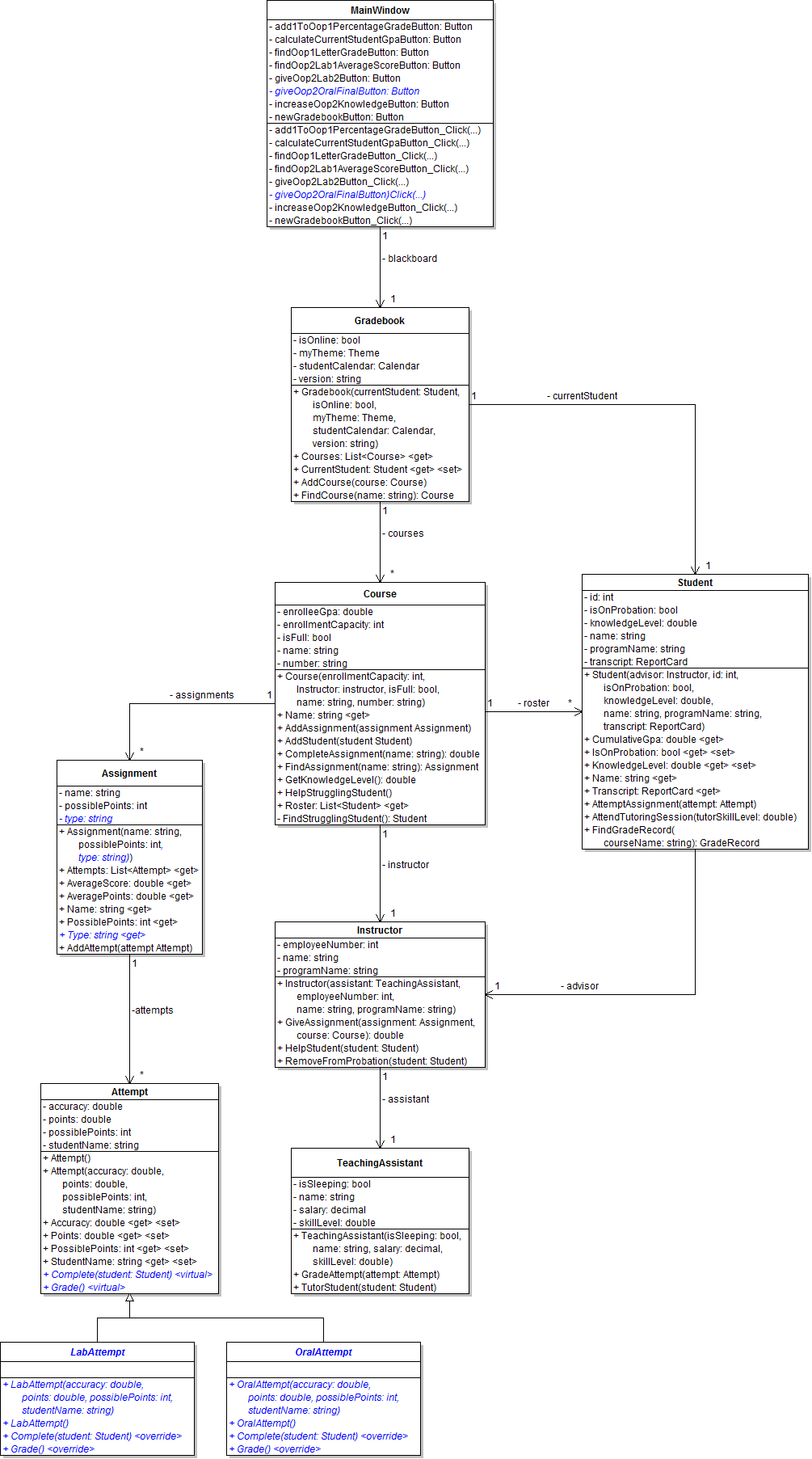
PNG image of 6.1  Gradebook UML class diagram
  1. When creating classes be sure to:
    1. Ensure the class in the root namespace. This can be done in one of two ways. Either by adding the class in the project, i.e. scenario, or by adding the class to the business classes folder and removing the ".Business_Classes" designation from the namespace.
  2. Open the main window (MainWindow.xaml) in designer mode (right-click and click "View Designer" or press Shift-F7 to go to designer mode).
6.1 Gradebook Activity: Object Diagram

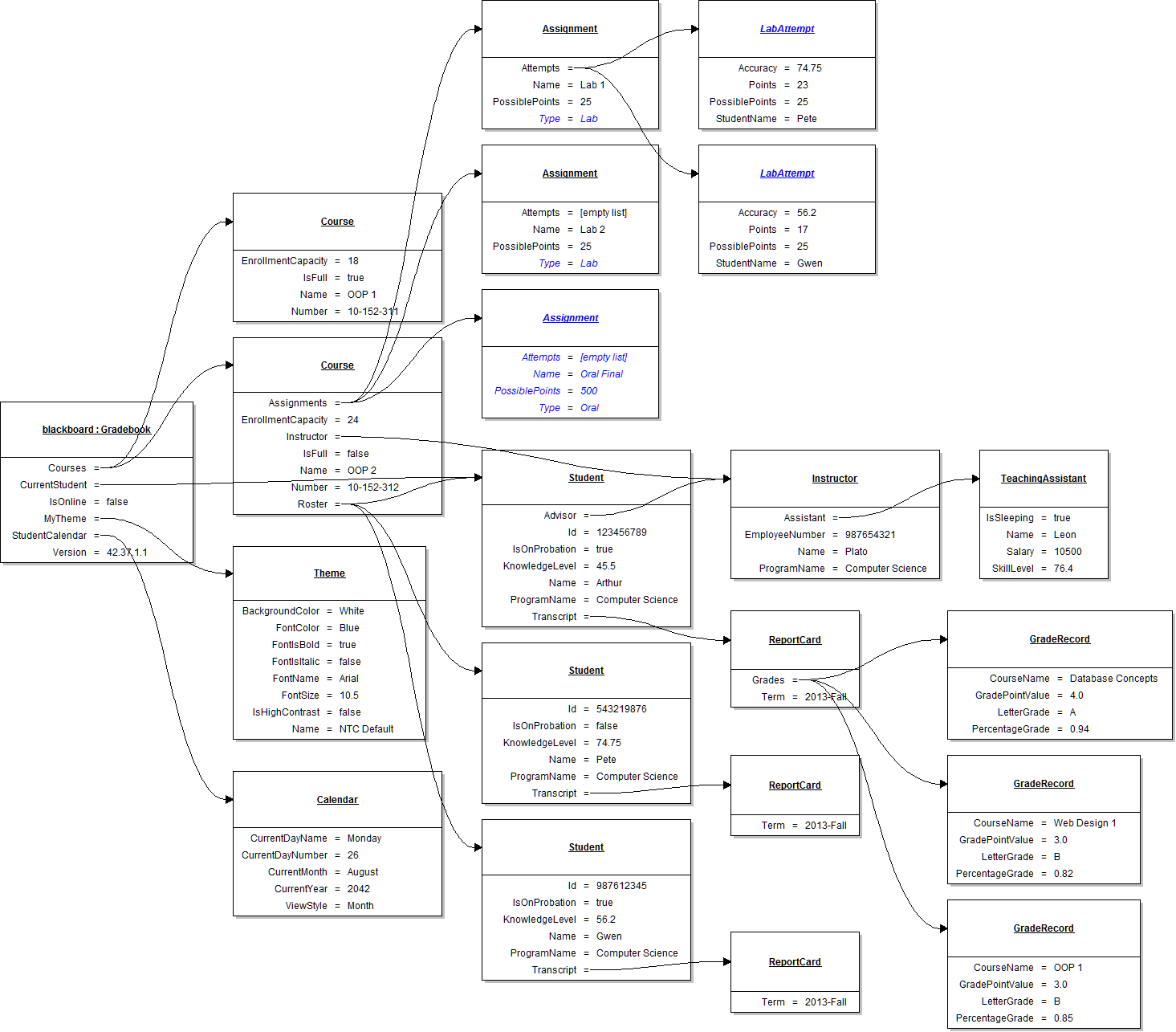
Instantiate the objects and set their field values as specified in the following UML object diagram.

PNG image of 6.1 Gradebook UML object diagram

6.1 Gradebook Activity: Code Snippet

Within the newGradebookButton click event handler use the following code snippet as your guide to writing the code.

// Create a teaching assistant.

// Create an instructor.

// Create a report card.

// Create a grade record (Database Concepts).

// Add Database Concepts to the transcript's list of grades.

// Create a grade record (OOP 1).

// Add OOP 1 to the transcript's list of grades.

// Create a grade record (Web Design 1).

// Add Web Design 1 to the transcript's list of grades.

// Create a student (Arthur).

// Create a theme.

// Create a calendar.

// Create Blackboard.

// Create a course (OOP 1).

// Add OOP 1 to blackboard's list of courses.

// Create a course (OOP 2).

// Create an assignment (Lab 1).

// Create an attempt (Pete).

// Add Pete's attempt to Lab 1's list of attempts.

// Create an attempt (Gwen).

// Add Gwen's attempt to Lab 1's list of attempts.

// Add Lab 1 to OOP 2's list of assignments.

// Create an assignment (Lab 2).

// Add Lab 2 to OOP 2's list of assignments.

// Create an assignment (Oral Final).

// Add Oral Final to OOP 2's list of assignments.

// Add Arthur to OOP 2.

// Add OOP 2 to blackboards's list of courses.

// Create a new transcript for Pete.

// Create a student (Pete).

// Add Pete to OOP 2.

// Create a transcript for Gwen.

// Create a student (Gwen).

// Add Gwen to OOP 2.

6.1 Gradebook Activity: Sequence Diagram 1

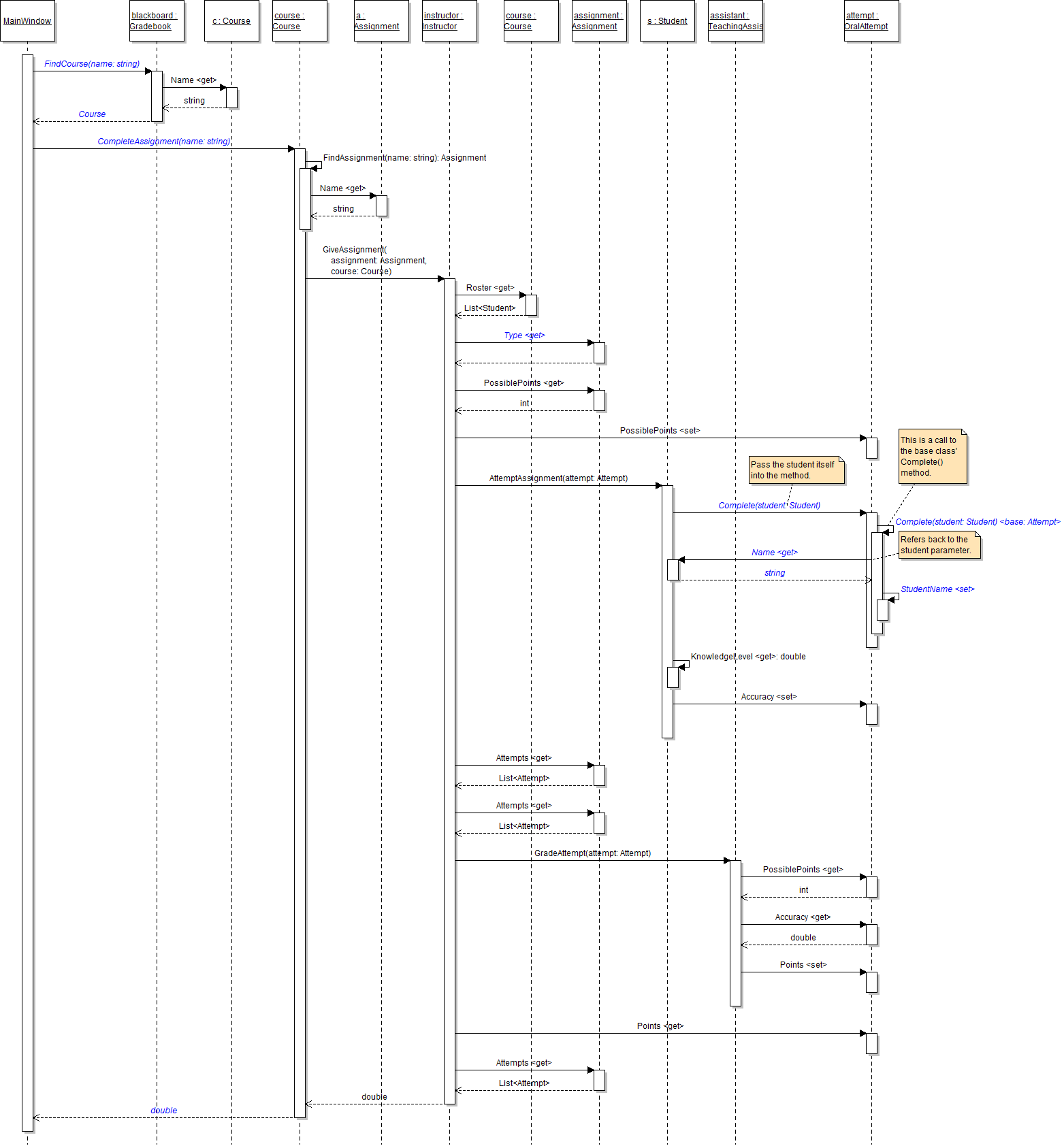
giveOop2OralFinalButton

PNG image of the 6.1 Gradebook UML sequence diagram #1

6.1 Gradebook Activity: Final Steps

Test, Complete and Submit

  1. Build your program - Eliminate compiler errors and warnings
  2. Debug/Test your program - Set breakpoints, step through code, monitor values
  3. Make your code StyleCop-compliant
  4. Close your Visual Studio solution.
  5. Compress your Visual Studio solution to a zip file.
  6. Submit the zip file via Blackboard.

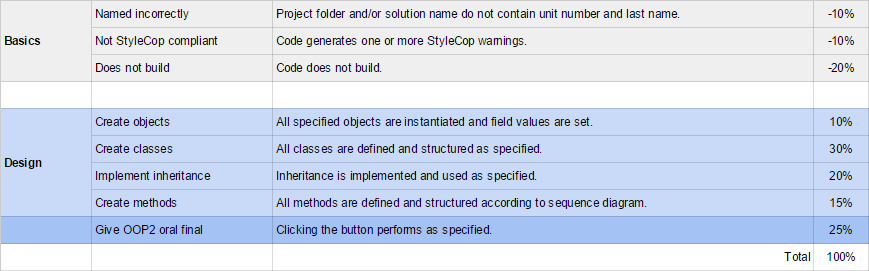
Grading Rubric

PNG image of the 6.1 Gradebook rubric