Deploy the Custom Windows 8.1 Update 1 Image.
If all went well on the previous task you are ready to deploy a custom Windows 8.1 image to your workstations. If the image was built and captured per the task assignment, then you will have this image on the CM01 server ready to be used by ConfigMgr.
Deploying the Custom Windows 8.1 Update 1 Image
Prerequisites:
- You must have a custom Windows 8.1 WIM file that you created either in the previous task.
- The WIM should preferably be located in E:\Sources\OSD\Images\Windows81Upd1.
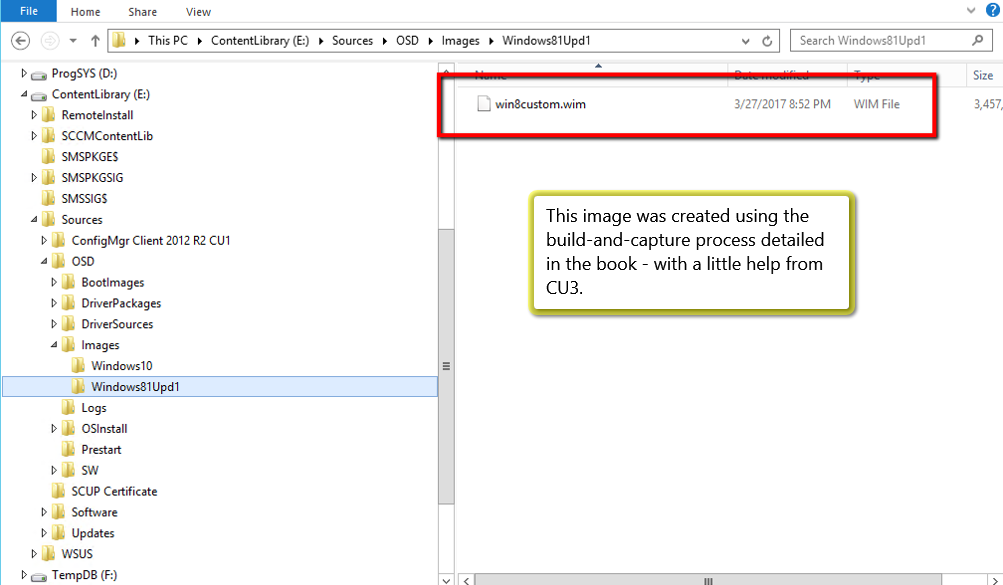
- E:\Sources should be shared as sources$.
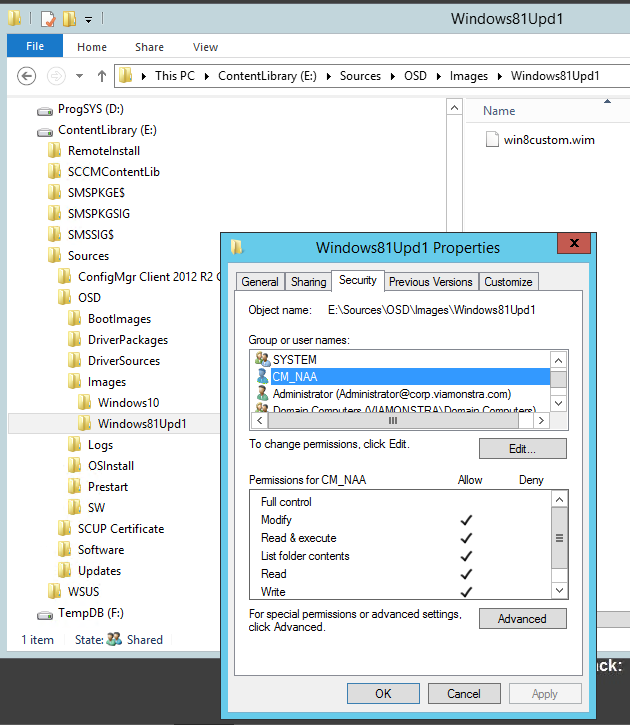
- The E:\Sources\OSD\Images\Windows81Upd1 folder should have NTFS security set to allow CM_NAA modify access to the folder.
Perform the following steps:
- Add a Custom Windows 8.1 Update 1 Operating System Image (pages 432 - 433)
- Creating a Deploy Task Sequence (pages 434 -442)
- Create the MDT task sequence and fix MDT bugs. A task sequence is the engine that performs the install in an unattended manner.
- Include operating system deployment (OSD) packages such as Microsoft Deployment Toolkit, Windows settings, Configuration Manager Client, and user State Migration Task package.
- Click here to view the configuration of then ConfigMgr client package in the task sequence.
- Click here to view the editing of the rules in the settings page.
- Click here to view the distribution of the MDT packages.
- Applications in the OS Deployment Process (pages 442 - 446)
- Refreshing Windows 8.1 to Windows 8.1 Upd 1 (pages 446 - 449)
- Create a custom collection
- Deploy the refresh machine task sequence.