 Chapter 8 - Application Deployment - Collections
Create the Collections
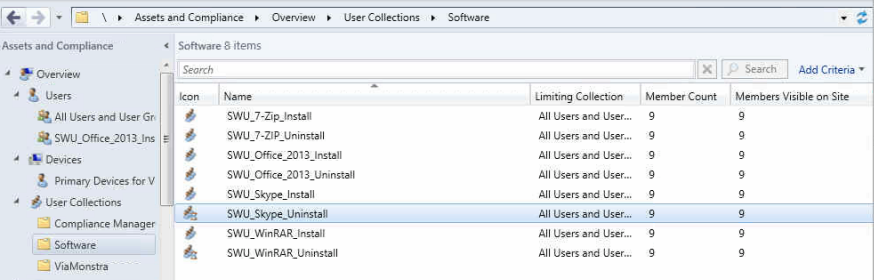
The following collections will be created and will be query based:
- SWU_Office_2013_Pro_X64_Install
- SWU_Office_2013_Pro_X64_Uninstall
- SW_Skype_Install
- SW_Skype_Uninstall
- SW_7-Zip_Install
- SW_7-Zip_Uninstall
- SW_WinRAR_Install
- SW_WinRAR_Uninstall
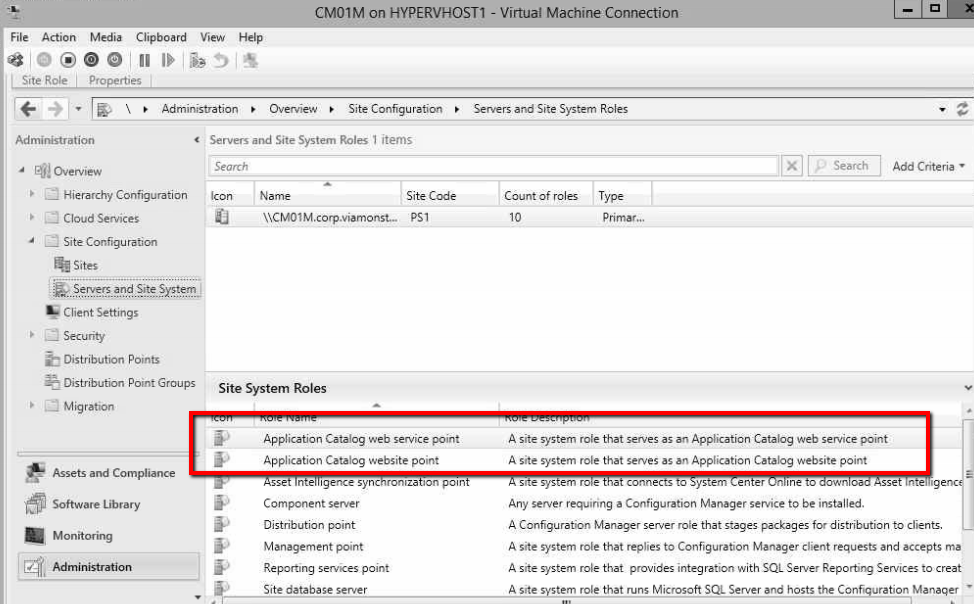
All user-targeted applications without a deadline will be available in the web catalog, therefore your ConfigMgr server must have the Site System Role of Application Catalog web service point and Application Catalog website point. See image below.
Create the Active Directory Groups
The video below demonstrates the process of creating these special groups. Please note that you should perform this part of the lab on your Domain Controller, unless you want to install RSAT tools on your client computer to support the New-ADGroup cmdlet.
Create the Uninstall Collections
Create the Install Collections
Make sure that each of these collections have members. You can select each collection and then click Update Membership. Your collections should look like the image below: