 Explore mobile device security
Attacks
Wireless Networks
There are a multitude of attacks on mobile devices such as laptops, tablets, and cell phones. These individual mobile devices can certainly be victims to an attack much like a desktop computer can be attacked, however, the most prevalent attacks are those attacks that give the attacker the most payload; this likely will be attacks on wireless networks and the devices within this network.
Attacks on wireless networks take on these characteristics:
-
Discovery
-
Connecting
-
Launching the assault.
Discovery
The first step in attacking a wireless
network is to discover it.
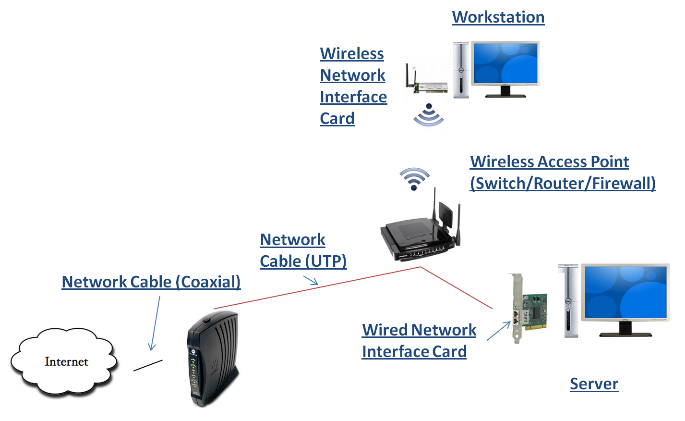
Discovering thru Location Mapping
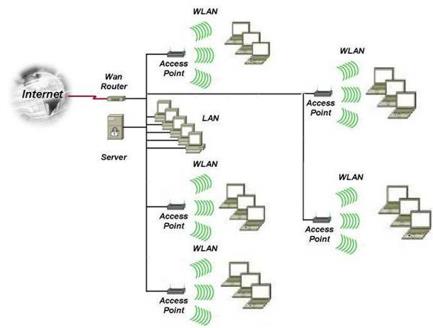
When hackers want to find open wireless
networks they try to locate wireless access points.
These wireless access points can be located by
War Driving.
This is the process of finding wireless access points
by driving (or walking) around cities or business centers
and then locating and mapping these access points.
Once these wireless access points are discovered,
connections can be made to the wireless networks logically
contained by these access points; quite often these
connections are not authorized connections.
Click on the image below to see an
example of Wireless Access Point mapping.

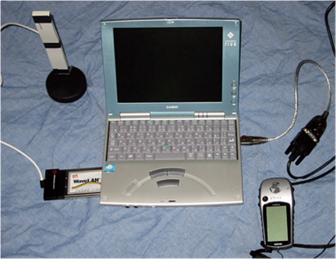
Professional War Driving Tools
War drivers need at least a portable wireless
computer to detect wireless access points, such as a smart
phone, tablet or a laptop.
To actually map the signals so that you can revisit
them at a later date they use a GPS and GPS mapping
software.
Click on the image to view an example
of war driving software using a GPS.
http://www.gpsvisualizer.com/map_input?form=wifi
Connecting
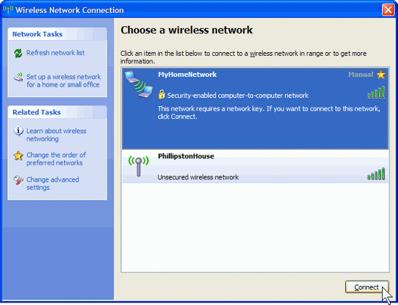
By default, when a wireless access
point beacons, it includes a
Service Set Identifier
(SSID) with the beacon.
This way, when a wireless device detects the beacon,
it can display the wireless access point with its' SSID (or
network name).
In the image below, both wireless access points shown come
from wireless access points that beacon the SSID.
1. The SSID can be discovered using programs like Air Snort or Net Stumbler even when the SSID is not included in the beacon.
2.
Turning off the SSID may
cause some inconvenience to legitimate users such as those
that roam around through multiple wireless access zones.
3.
Some operating systems make
it difficult to connect to wireless access points that don’t
broadcast the SSID, especially when there are wireless
networks in the area that do.
Check out this YouTube video:
http://www.youtube.com/watch?v=kIaZ8lvVl3g
Phases of cracking wireless access point passwords
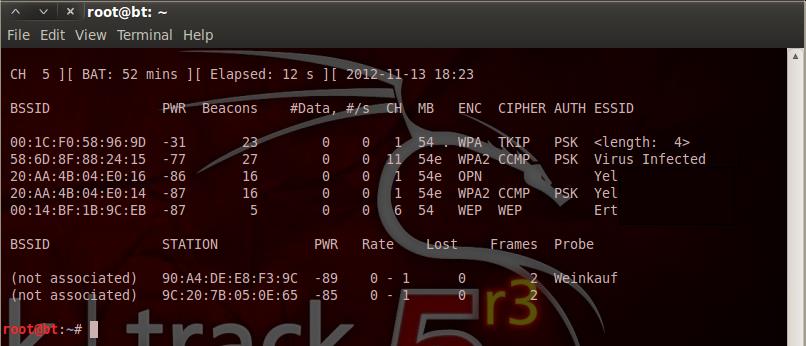
Phase 1: Locate a victim and make note of the
victims ESSID and channel number.
Phase
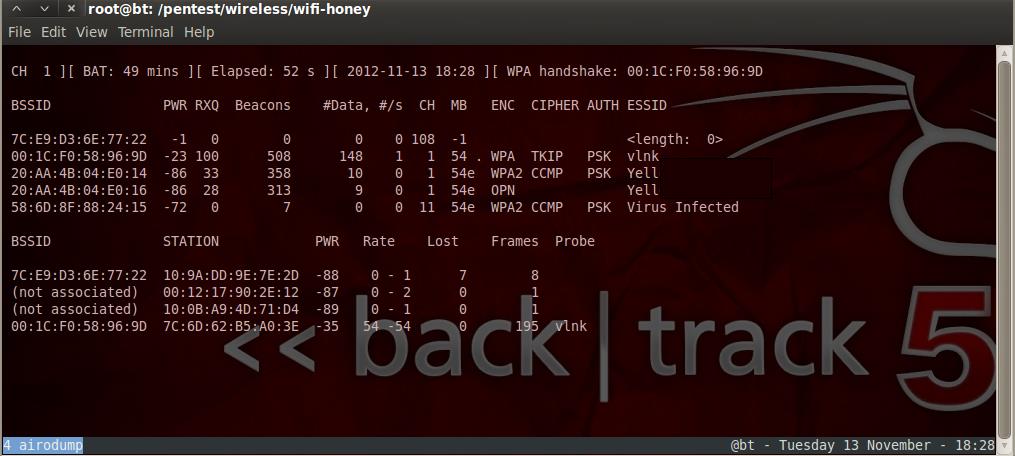
2: Monitor the victim and look for a connection
(handshake) to the access point.

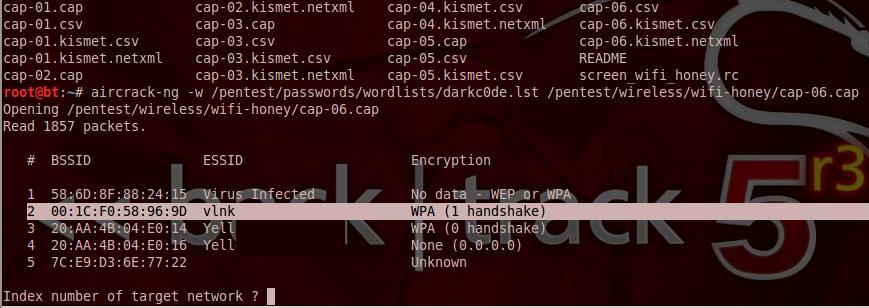
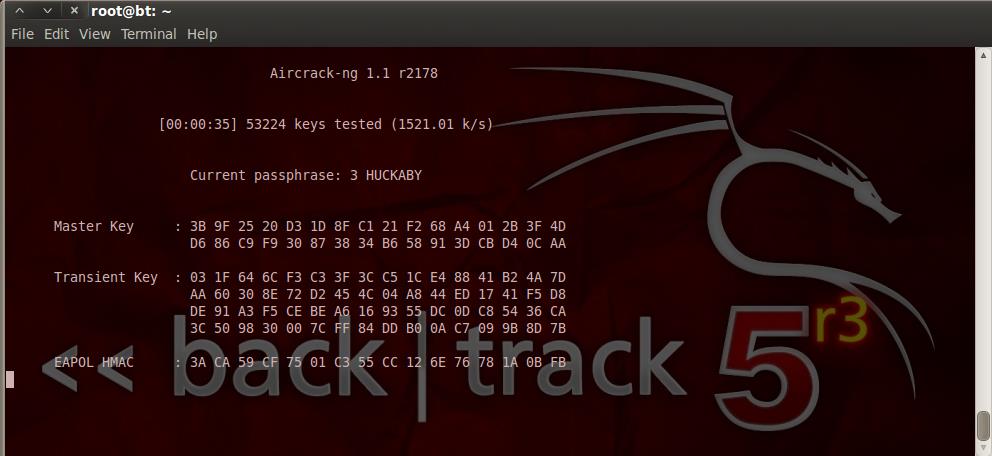
Phase 4: Scan
the captured network packets to crack the password.
If the encryption was nonexistent or WEP, then this
process would not take long.
If the password was complex (with numbers, special
characters, letters, length) and if the encryption was WPA
or WPA2, this cracking process would have to run for years
before the password is cracked.
Please note, if you change your access point’s
password often, any password that may be cracked by a hacker
would be obsolete by the time the hacker is able to use it.
Launching an Assault
 Topic 5-1: Discuss common, modern day attacks on wireless networks - student led discussion. Click on the image to the left to get more information pertaining to this discussion.
Bluetooth Connections
Topic 5-2: Discuss security related topics pertaining to Bluetooth technologies - student led discussion. Click on the image to the left to get more information to this discussion.